35
7 - CONTROL
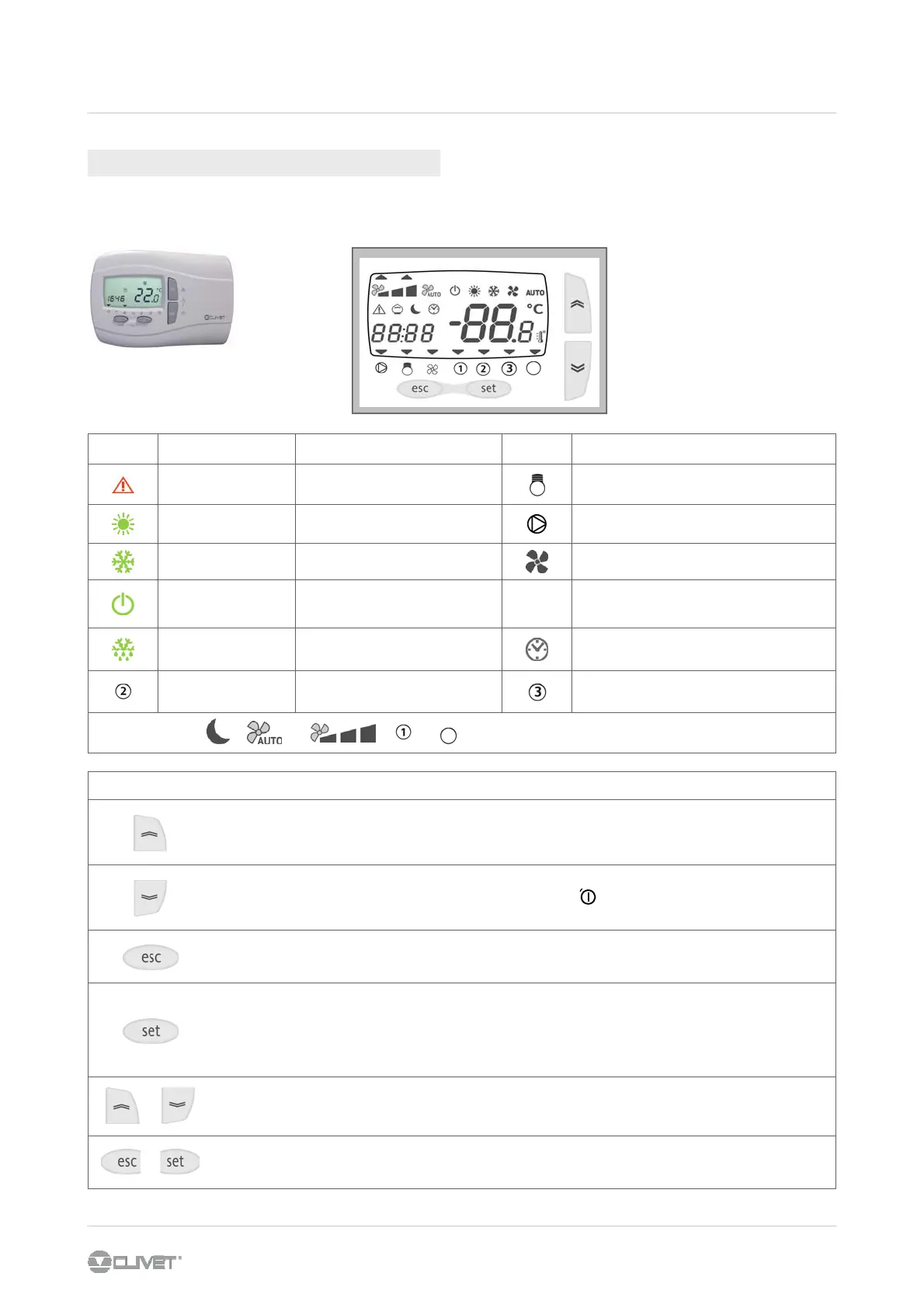
ACTION
UP
- increases the value
- next voice
- Silenced alarm
DOWN
- decreases the value
- previous voice
- On / Off *
ESC
- esc WITHOUT SAVING MODIFICATIONS
- previous level
mode
- Heat / cool / stdby / as
SET
- confirm
- esc WITH MODIFICATION SAVING
- go to the next level
- STATA menu
- ambient temperature display
- Inputs / clock / stby / active
alarms / setpoint
+
- activate / disactivate the time bands
+
- access to the SETTING menu
- Parameters / function /
password / alarms
FUNCTION (3 SEC)
icon Fixed on Flashing icon
Alarm in progress Silenced alarm
Capacity step
Heating mode
Antifreeze with active heat pump
Remote heating mode
Water pump of the primary circuit
Cooling mode Remote Cooling mode
Ventilation
Standby from keypad Remote standby
LAMP
TEST
At the start-up is performed a board automatic
test : all led flash for some seconds
defrosting Manual activated defrosting
Display shows Clock
(not related to scheduling)
AUTO
Not used
DHW heater ON
ON : Domestic hot water
flashing : D.H.W. mode - standby
4
The keyboard repeats all the built-in control functions.
7.8 AMBIENT KEYBOARD
* Unit in OFF the antifreeze function is not active.
4



 To Next Page