Page | 15
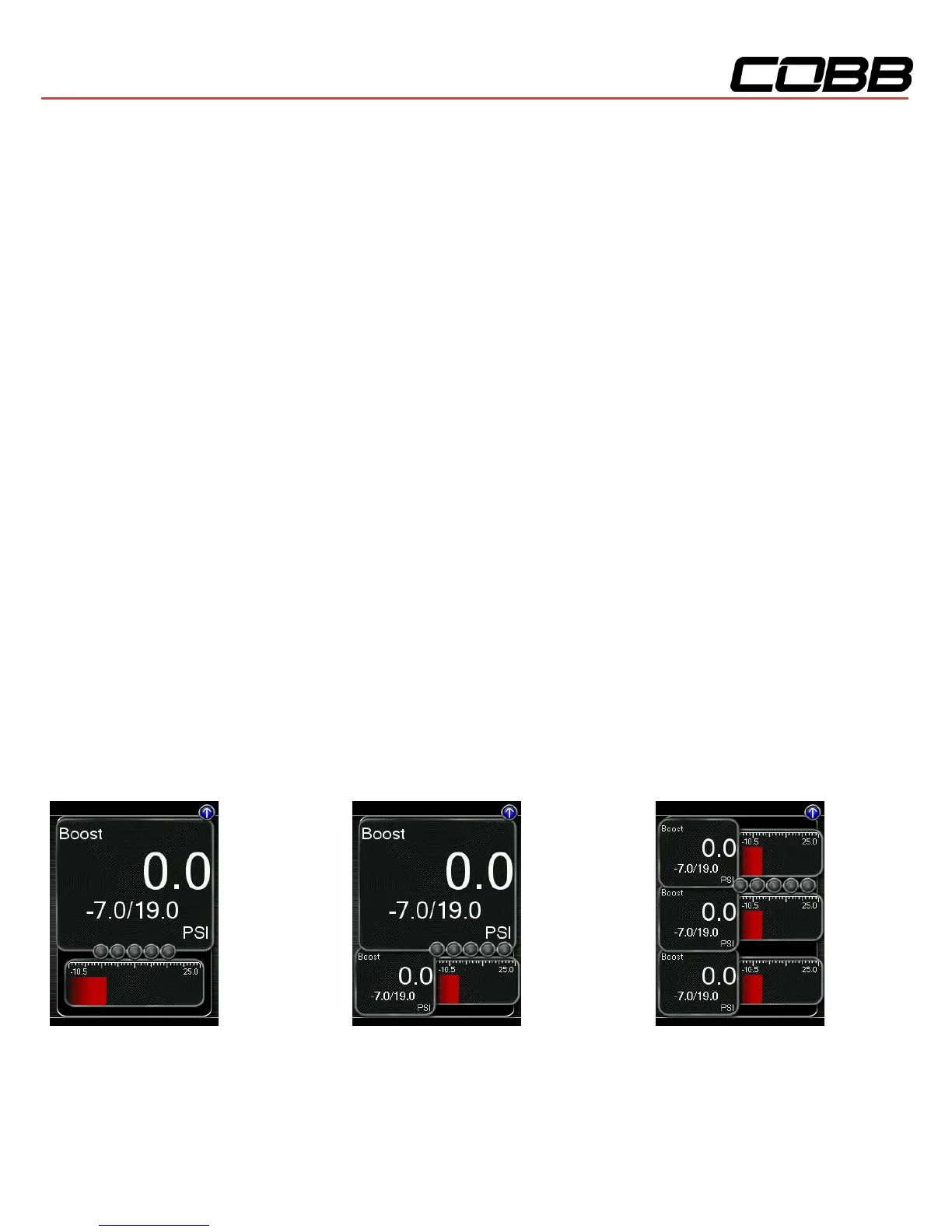
Change Gauge Layout – Select a gauge layout from a single large gauge, to many small gauges
Change Units – Set the unit scheme
Configure Shift Light – Adjust the RPM of the Shift Light
Configure Datalogging – Select which monitors to datalog
Change Gauge Layout
The Accessport has the ability to display between 1 - 6 gauges in different preset formats. The formats
are as follows:
One Gauge Two Gauges Three Gauges
1 Large Digital Gauge 1 Large Digital Gauge 3 Small Digital Gauges
w/ Bar Gauge 1 Small Digital Gauge w/ Bar Gauges


 To Next Page