Page | 8
Screen Capture
Screenshots can be captured by holding down the [CANCEL] button for two seconds. Any stored
screen captures can be retrieved by using Accessport Manager.
Getting Started
1. Insert the key into the vehicle's ignition and leave it in the OFF position.
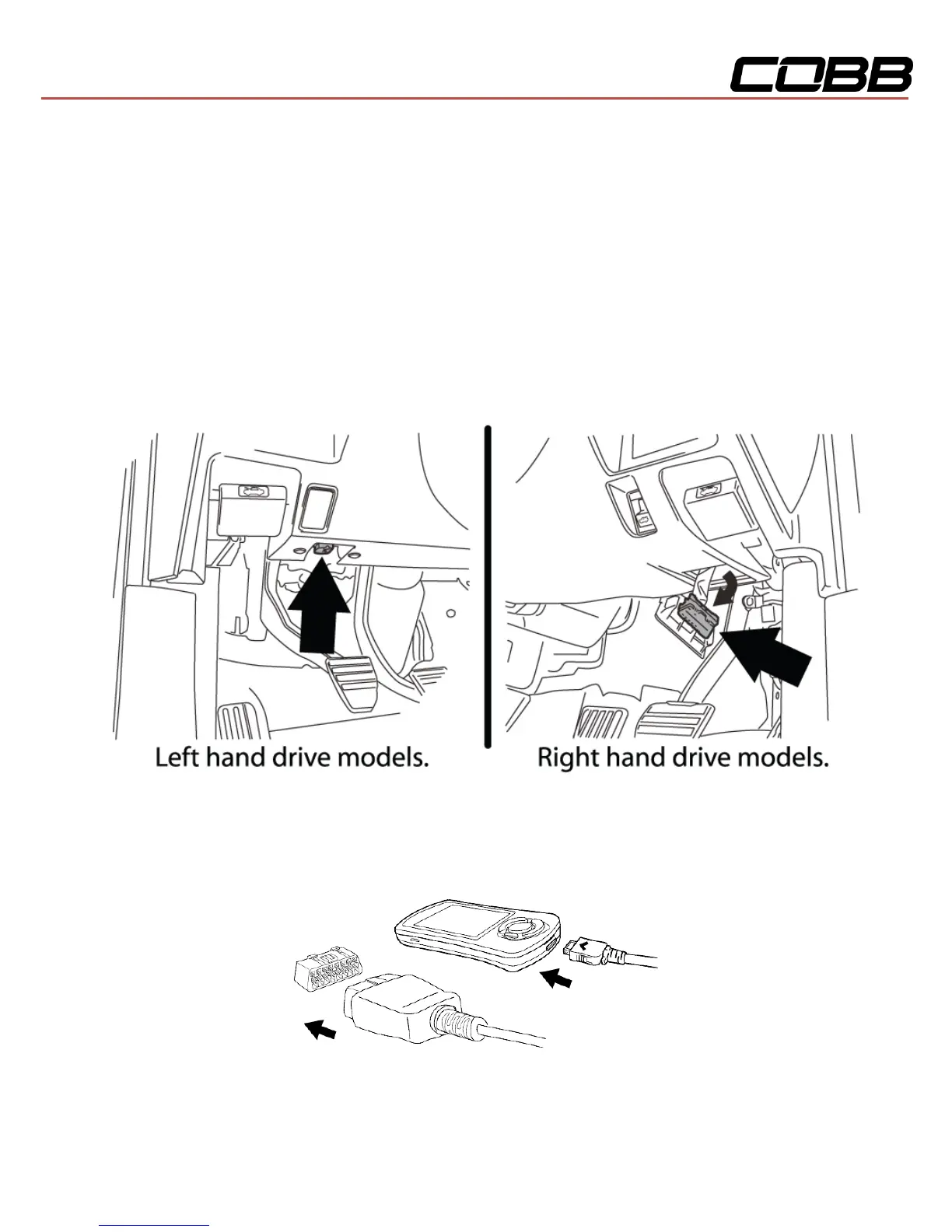
2. Locate the OBD-II port under the left side of the driver's side dash.
3. Connect device to the OBD-II port. Plug the OBD-II cable into the OBD-II port under the dash of
vehicle. Then connect the small end of the OBD-II cable to the port on the bottom of the
Accessport.
4. Make sure the clasp on the OBD-II cable firmly engages with the port.


 To Next Page