DIGIMINI EMEA/APAC/AUSTRALIA REPEATERS
PRODUCT DESCRIPTION AND USER’S MANUAL
www.cobham.com/wireless
Page | 5-2
Date: 11-Oct-15
Rev. 5.0
Cobham Wireless – Coverage
Document number: 00030UMCD
5.1.1 Connect the Computer to the Repeater
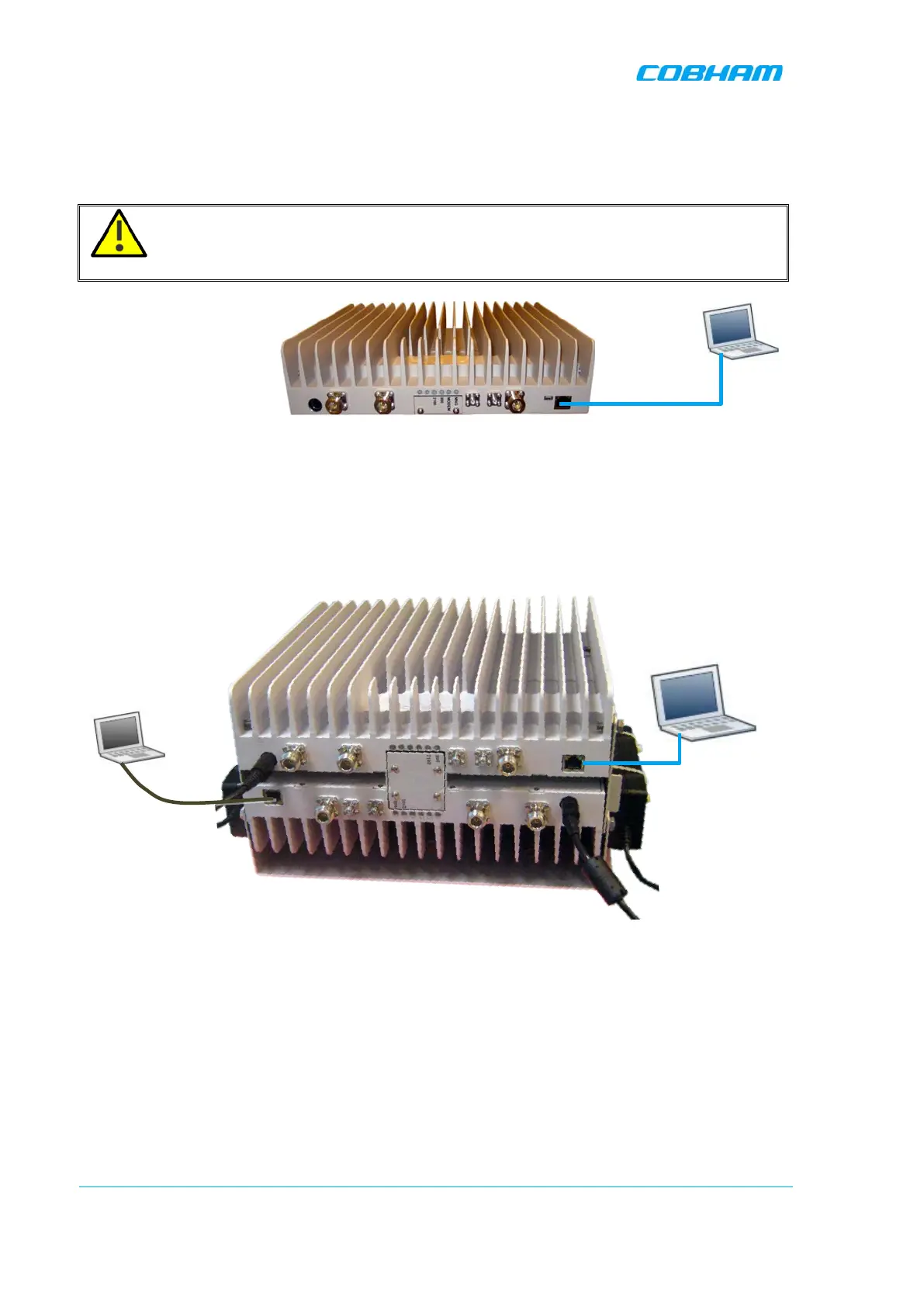
1. Connect the supplied Ethernet cross-cable from the computer to the Repeaters’ front panel.
ATTENTION! Do not connect the Repeater ETH port to the network. It may affect your
network! Remote management is available only via a DMCU.
Figure 5-1. Ethernet Connection to a Single DIGImini Repeater
2. If connecting to the Quad-band assembly, connect the cable to
any
of the two repeaters. The
Web GUI will allow for configuration of both repeaters.
Figure 5-2: Cascaded DIGImini Quad-band
cable
Connect to
either unit
Ethernet
cross-cable



 To Next Page