DIGIMINI EMEA/APAC/AUSTRALIA REPEATERS
PRODUCT DESCRIPTION AND USER’S MANUAL
Cobham Wireless – Coverage Date: 11-Oct-15 www.cobham.com/wireless
Document number: 00030UMCD Rev. 5.0
Page |6-7
6.2.2 DIGImini LED Troubleshooting
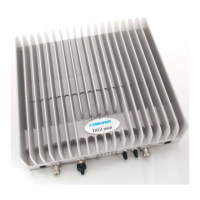
The DIGImini repeater includes six LEDs on its front panel (see section 1.7.1). The following table
provides a description of the LED troubleshooting procedures.
Indicator Description
(i.e 900/1800/2100)
One Indicator per band :
RED Steady - service muted due to general fault
Blinking – service muted by user
ORANGE Blinking – service initiating on power up or reset
Steady – high DL/UL signal or VSWR
ORANGE
Blinking- Reduced gain by IMOP
GREEN Blinking – DL power below threshold
Steady - normal service operation
(Ethernet) MNG Relevant only if connected to DMCU:
Green Blinking – normal operation of CCD
(Ethernet) Modem Relevant only if connected to DMCU:
•
Green Steady - modem is either not defined, or defined modem
is operating normally.
•
Orange Steady– modem is trying to connect
•
Red Steady– modem failed to connect



 To Next Page