27
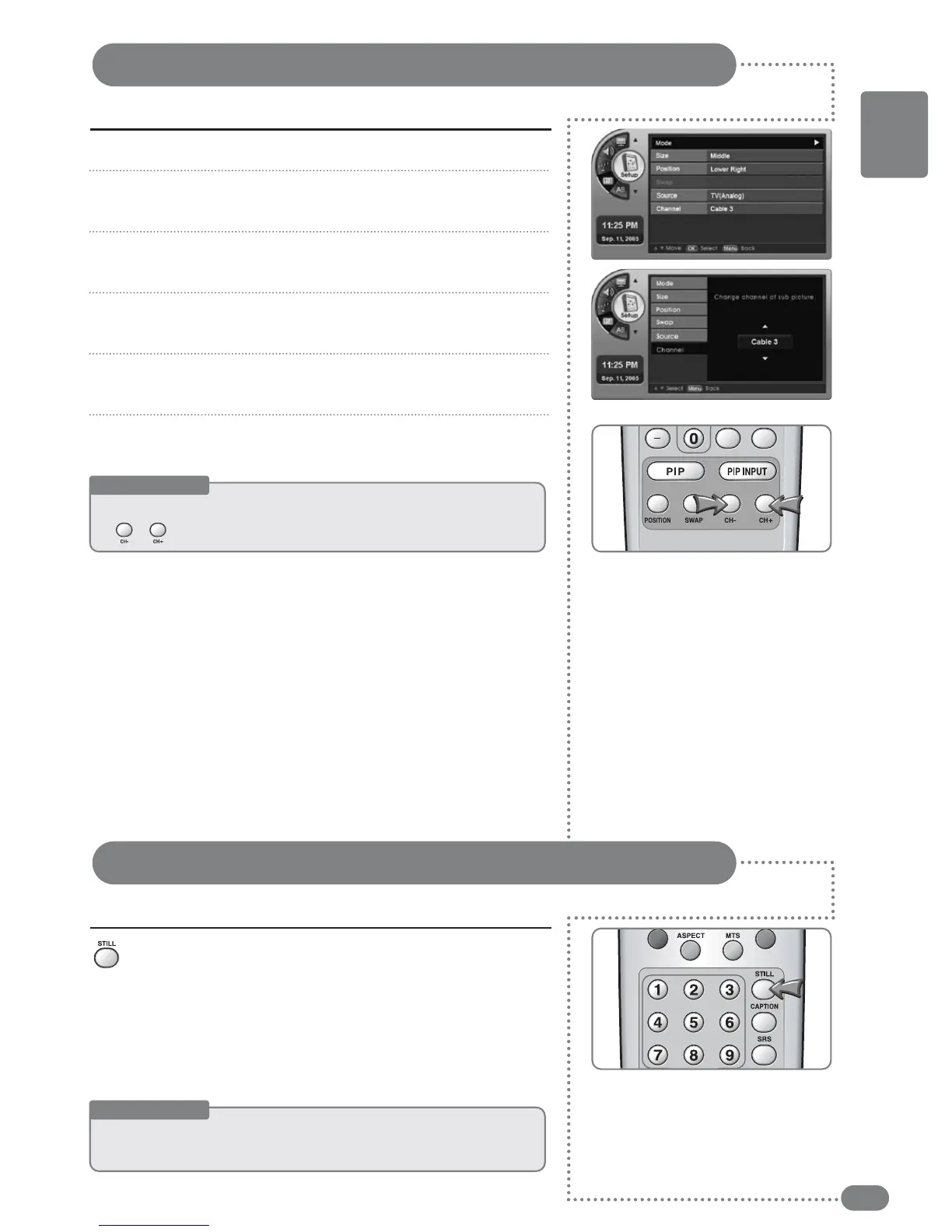
Adjusting the Sub-Screen Channel
You can adjust the channel in the Sub-Screen.
Press [MENU]. -The menu will appear.
Press [
] to move to <Setup>, then press [OK].
-The <Setup> Menu will appear.
Press [
] to move to <PIP>, then press [OK].
-The <PIP> Menu will appear.
Press [
] to move to <Channel>, then press [OK].
-The <Channel> Menu will appear.
Press [
] to select the channel in the Sub-Screen.
The channel in the Sub-Screen will be selected.
Press [EXIT] to exit the menu.
Press [STILL].
Each press of the button will advance the scene one frame.
1
2
3
4
5
6
Useful Tips
☛
OOnnllyy
uussee
tthhee
cchhaannnneell
ffuunnccttiioonn
wwhheenn
tthhee
SSuubb--SSccrreeeenn
iiss
aannaalloogg
TTVV..
☛
[[CCHH
+
/
-
]]
ccaann
aallssoo
bbee
ttoogggglleedd..
Capturing a Still screen
You can pause a scene on the screen.
Useful Tips
☛
AAuuddiioo wwiillll ccoonnttiinnuuee ttoo ooppeerraattee wwhhiillee tthhee ssccrreeeenn iiss ppaauusseedd..
☛
PPrreessssiinngg aa cchhaannnneell nnuummbbeerr oorr iinnppuutt ssiiggnnaall wwiillll aauuttoommaattiiccaallllyy ccaanncceell tthhee ffuunnccttiioonn..
ENGLISH



 To Next Page