www.colorlightinside.com
14
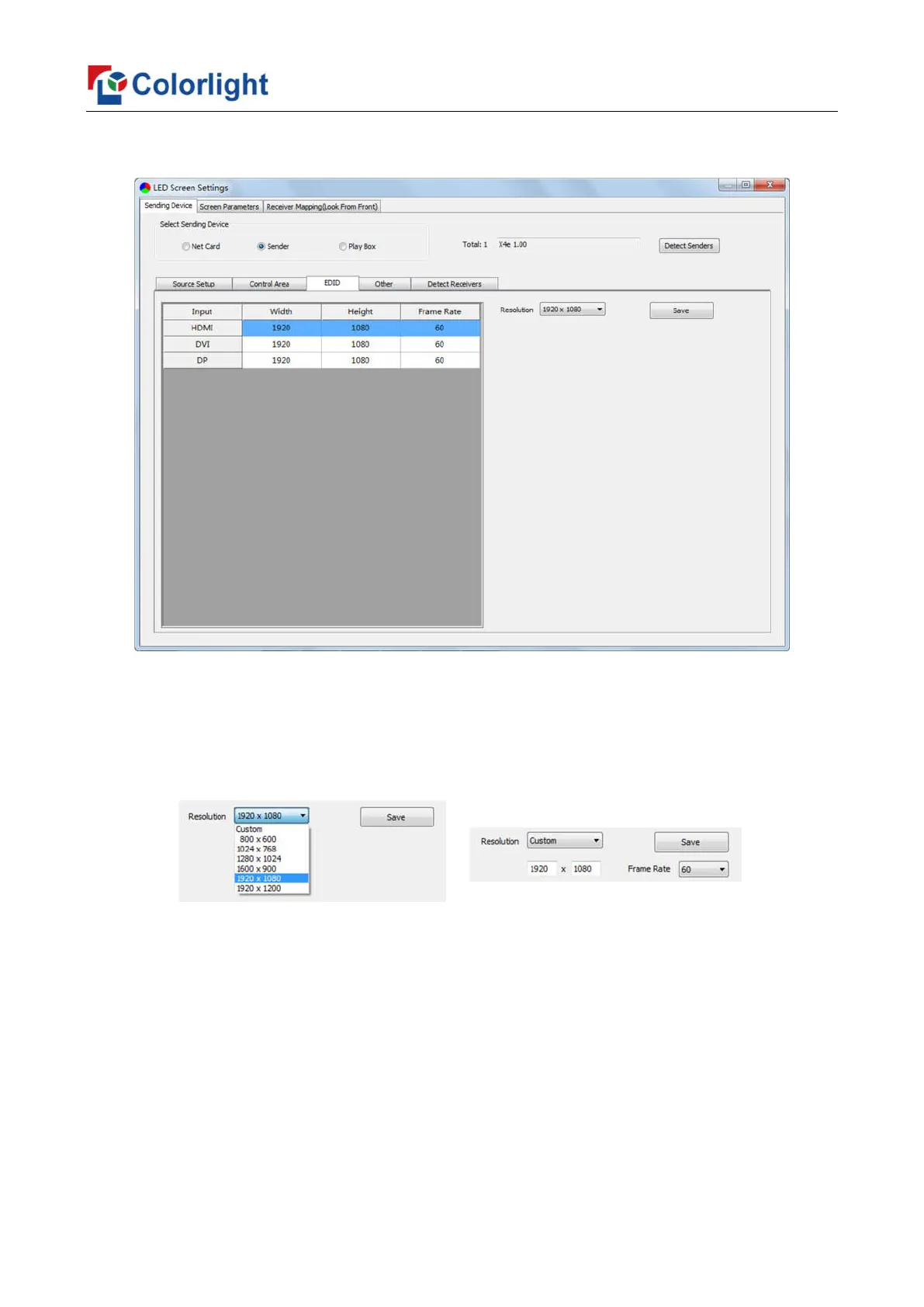
3. EDID
Set sender resolution, the first one is the default as current resolution.
Click the dropdown button to display the resolution list to select the mainstream
resolution, and you can also customize the sender resolution, by setting the width/height
and frame rate.
Click [Save] after setting.
4. Other
Advanced Parameters Setting (Better graylevel on Low Brightness, Mapping from
Sender, Device Name), Test Mode Selection, Factory Restore.



 To Next Page