www.colorlightinside.com
13
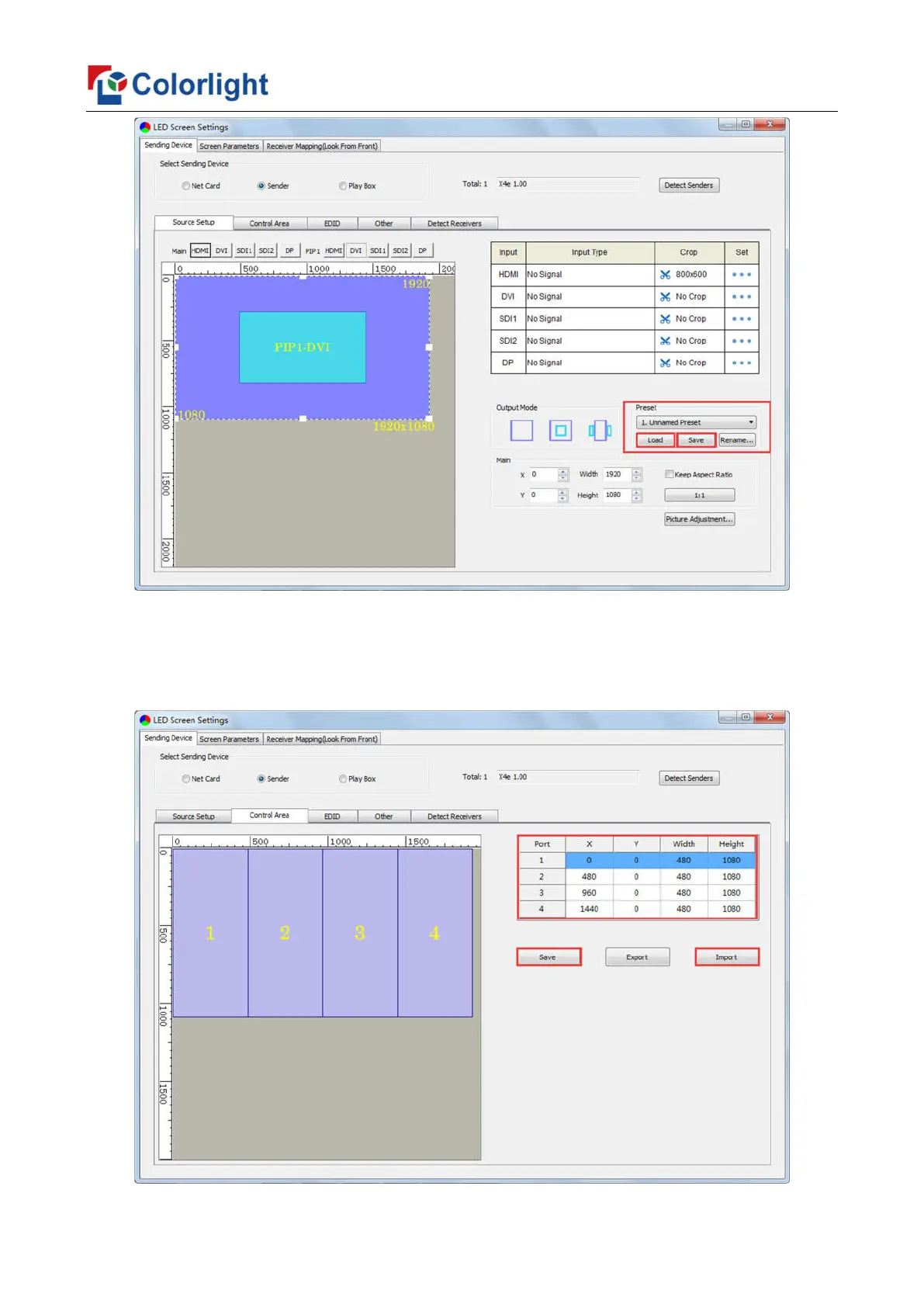
2. Control Area
In Control Area, it displays the control area of each net port of X4e. Click [Import] and
select correct parameter file, click [Save] to save parameters into corresponding sender; or
set up the control area of each net port respectively (X, Y, Width, Height), click [Save].



 To Next Page