www.colorlightinside.com
12
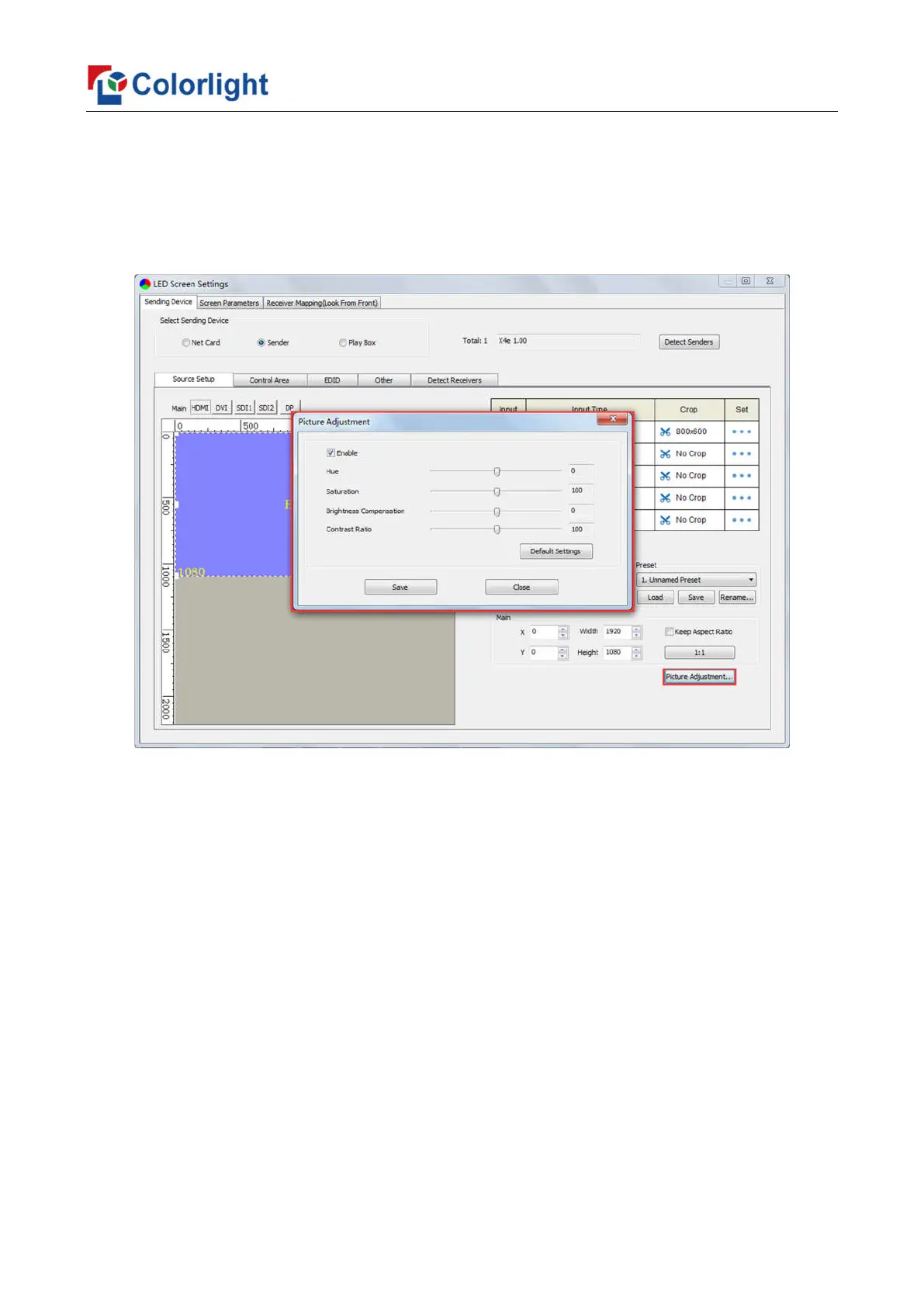
⑤ Picture Adjustment
Click [Picture Adjustment], and enter the interface of picture adjustment. Check
[Enable], and adjust hue, saturation, brightness compensation and contrast ratio of the
whole image, then click [Save] to complete. After setting, you can click [Default Settings]
to restore the default values of every parameter, that is, hue and brightness compensation
default to 0, saturation and contrast ratio default to 100.
⑥ Preset
In [Preset], 16 preset parameters can be saved, and every preset parameter includes
all parameter information of source setup (signal source, PIP, scaling, cropping, picture
adjustment), users can directly load one preset parameter to display the image according to
needs, and don’t need to set up all parameters again.
After completing setting up all parameters of source setup, select unnamed preset,
click [Save] to save the parameter to sending device, and rename it; click [Load], send the
parameter to receiving cards. At the time, the image should display on the basis of preset
parameter.



 To Next Page