www.colorlightinside.com
11
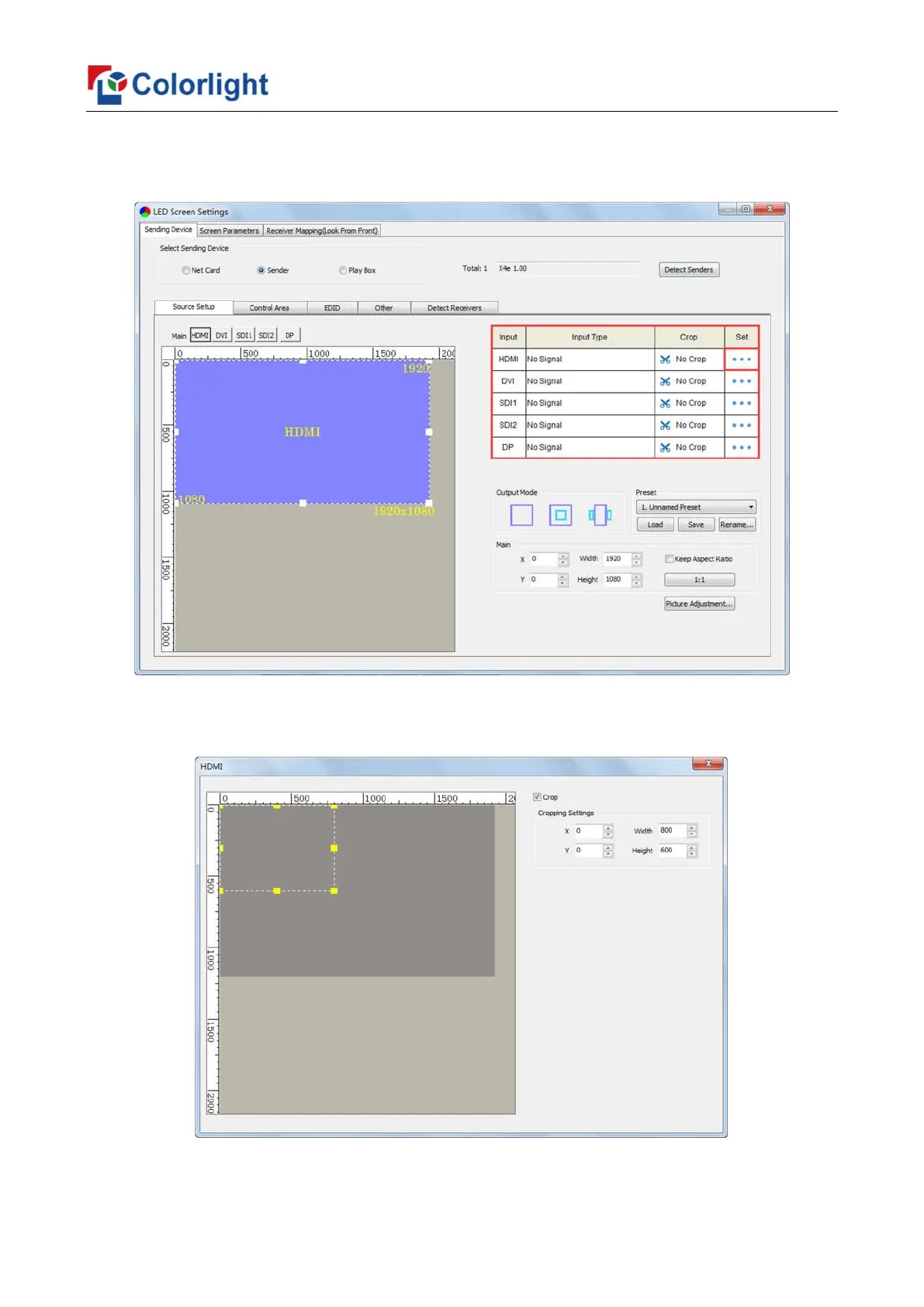
④ Cropping
Select signal source of the image that needs to be cropped in Input Signal Area, click
[Set] to enter the cropping interface.
In the cropping interface, check [Crop], and set X, Y, width and height in [Cropping
Settings], then the cropping setting is auto saved.



 To Next Page