www.colorlightinside.com
17
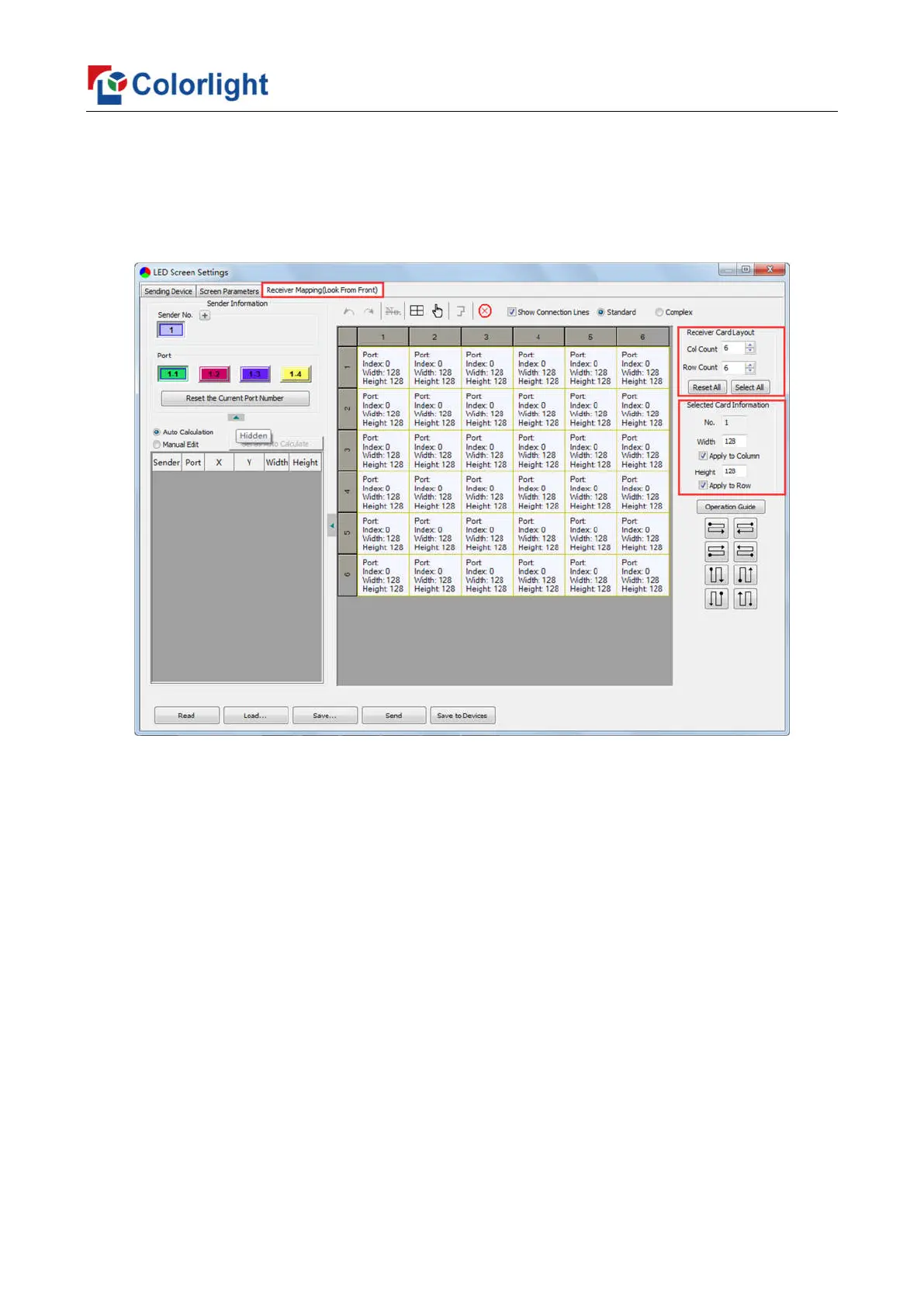
Detailed setting steps as follows:
1. Set up the quantity of receiving card
Set how many receiver (receiving card) that one port manages in Row Count and Col
Count (6*6 as an example) according to the actual loading of LED display, you will see LED
display mapping area from the right side (Viewing from the front of LED display).
2. Receiving Card Parameters Setting
Select the target sender and the net port from the left side, then select the
corresponding cabinets within net port actual control area and set the connection lines in
the mapping area.
There are two methods to set up:
① Use mouse to select one by one
In the mapping area, select the first receiving card based on the actual connection of
the net port (view from the front), and then set up the actual loading width and height of the
target receiving card in the right side (128*128 as an example).
Click the receiver (receiving card) one by one, according to actual connecting line, until
the last one for this network port loads.



 To Next Page