www.colorlightinside.com
18
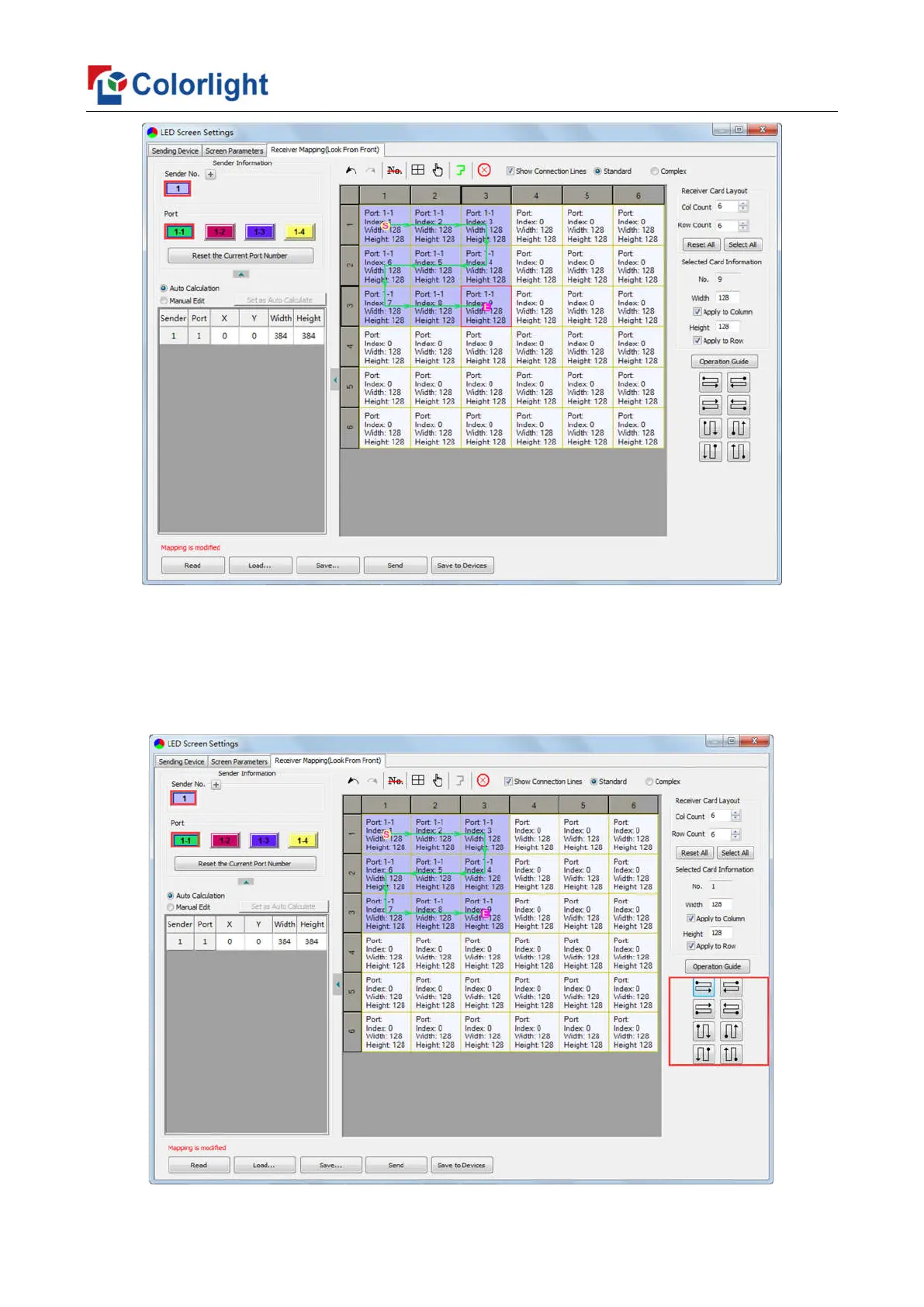
② Connection Pattern
Aiming at the LED screen with standard connection lines, firstly set up the receiving
card information according to the actual loading width and height (128*128 as an example).
Select the connection line you want from the right side, then cover the corresponding
area of net port loading in mapping area, finally complete setting.



 To Next Page