Version 1.00 33 Global Scanning UK Ltd © 2018
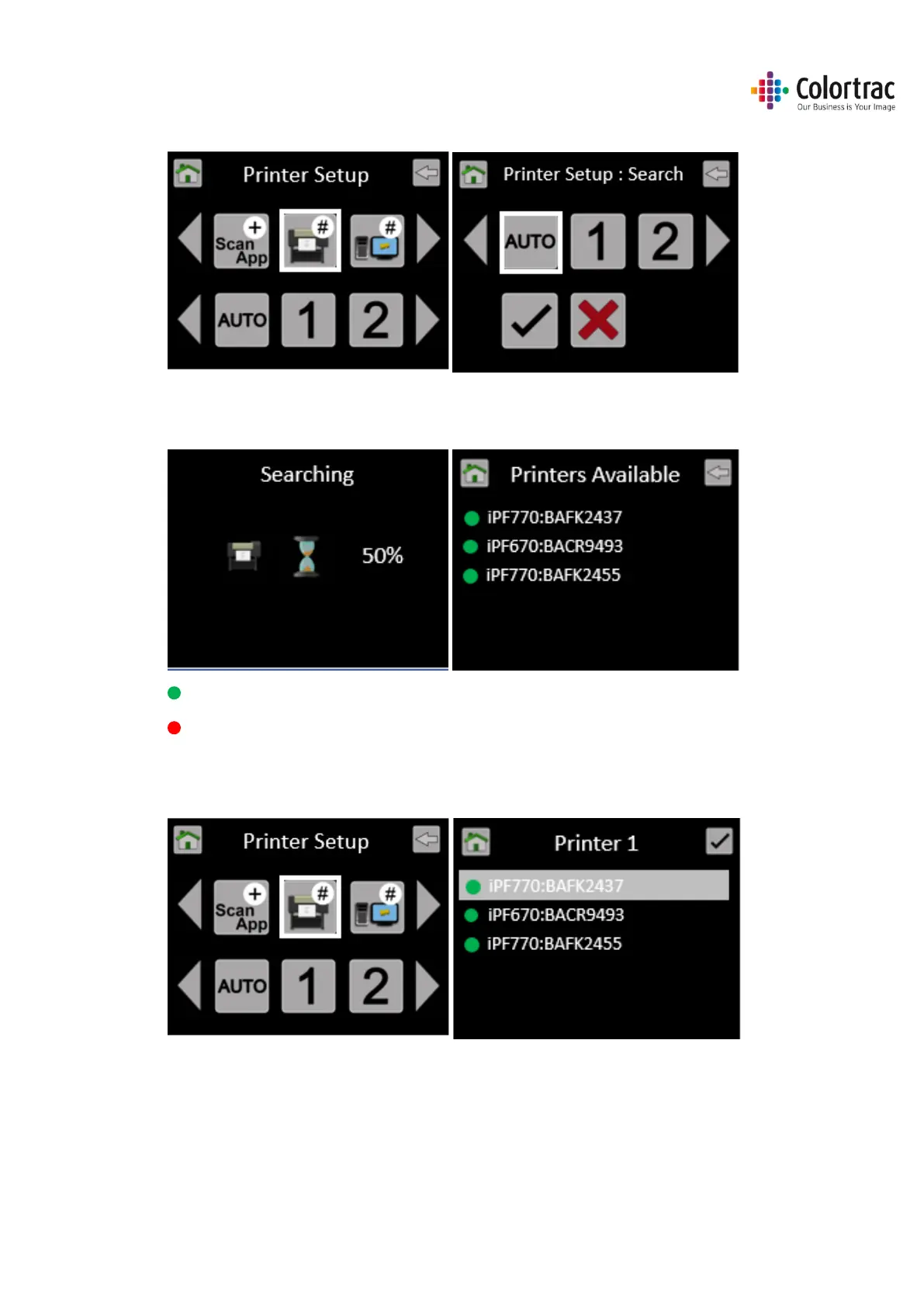
• Select “Auto” followed by “tick” to start the search for available printers on the network.
• Wait while the scanner searches for available supported iPF printers. It will then list the
available printers by model and their Serial Number.
The Green Dot indicates it is online.
A red dot indicates it is offline.
• Go back up to the Printer Setup menu to define printer numbers. Select “1”, then from the
list, select the printer you wish to be assigned #1.




 To Next Page