Version 1.00 40 Global Scanning UK Ltd © 2018
Scan to USB: TIFF
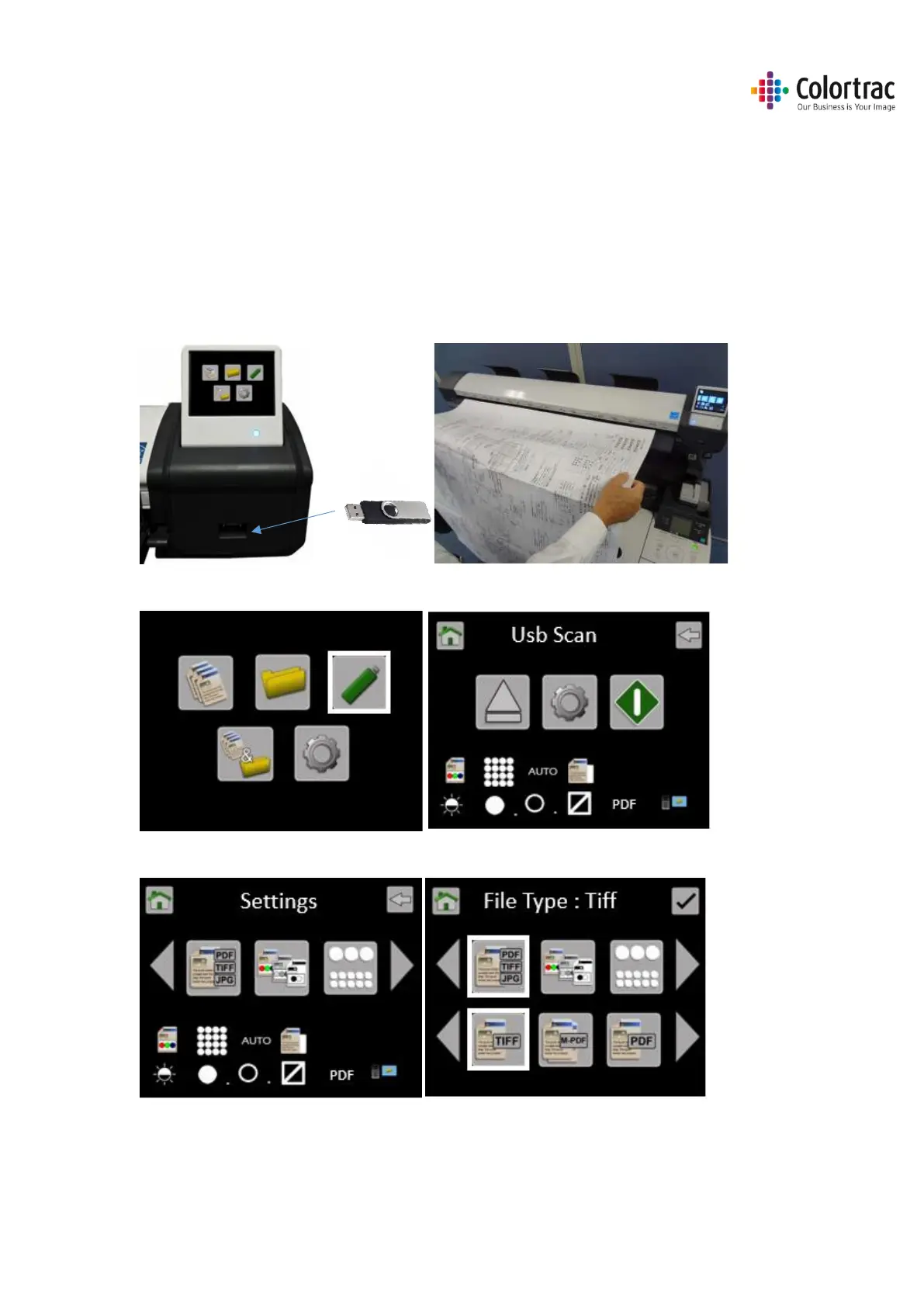
Scan to USB: File type = TIFF. The scan data is stored internally on the scanner, then sent to the
USB. No PC is required.
Insert a USB memory stick in to the L24ei / L36ei scanner. The USB stick must have been
formatted as FAT32 and have a maximum capacity no greater than 128GB. Do not use a USB
extension cable.
Insert a document into the approximate centre of the scanner, face up. The exact position is not
critical as we will scan using Auto-Size.
From the Home page, select the SCAN to USB function.
Select USB Scan Settings and select file type = TIFF.











 To Next Page