Version 1.00 70 Global Scanning UK Ltd © 2018
Scanner Settings
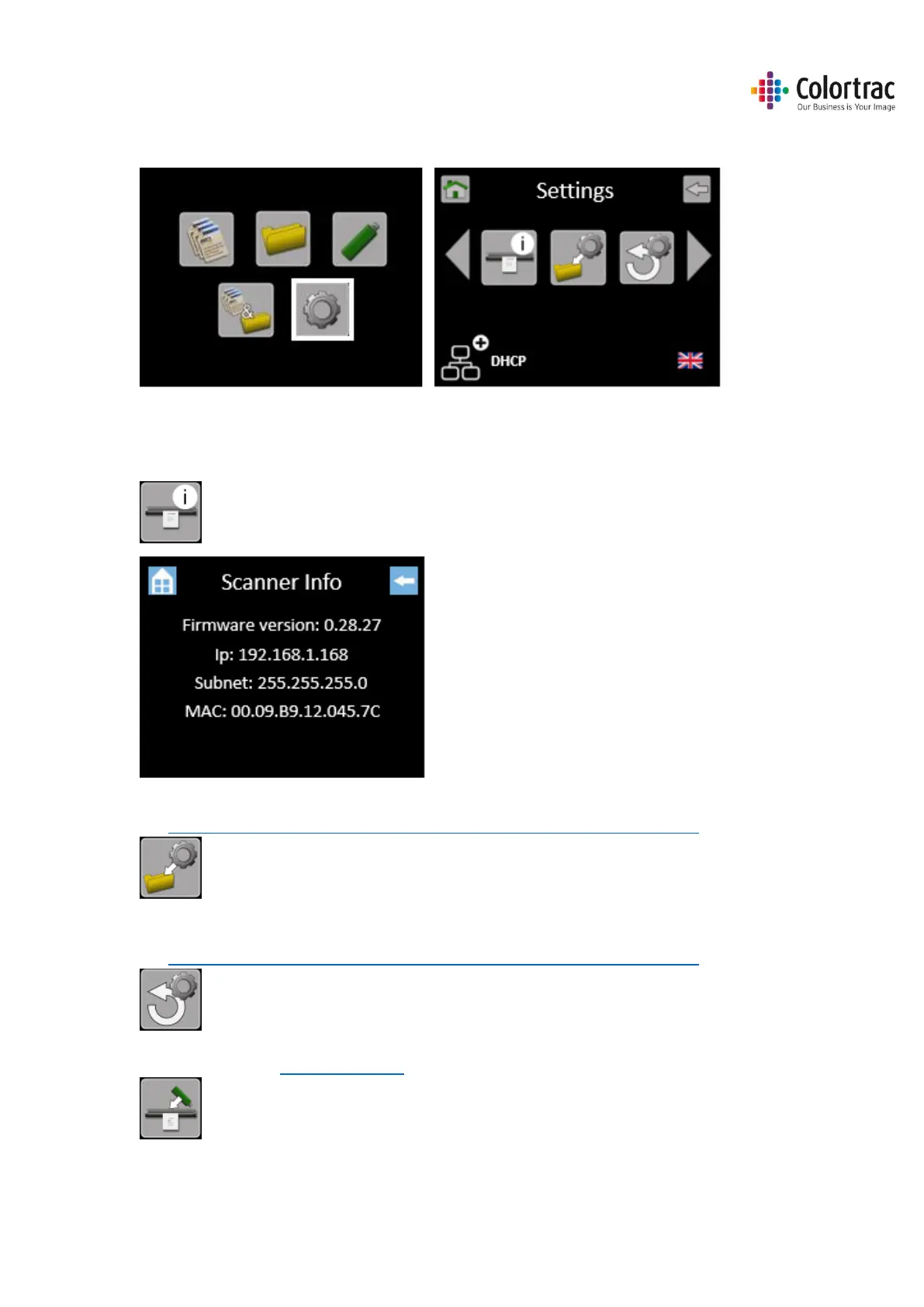
From the Home Page, select Scanner Settings.
Scroll left or right and select the Setting to be changed, then select the new value to be used.
Information. There is nothing to adjust.
Save Current Function Settings as Default.
See Functionality – Saving your preferred Function Settings as power on Defaults
Restore Factory Default Function Settings.
See Functionality – Saving your preferred Function Settings as power on Defaults
Load Firmware. See Loading Firmware





 To Next Page