20
S1 S2
2 3
2
1
1
4
S1 S2
5 6
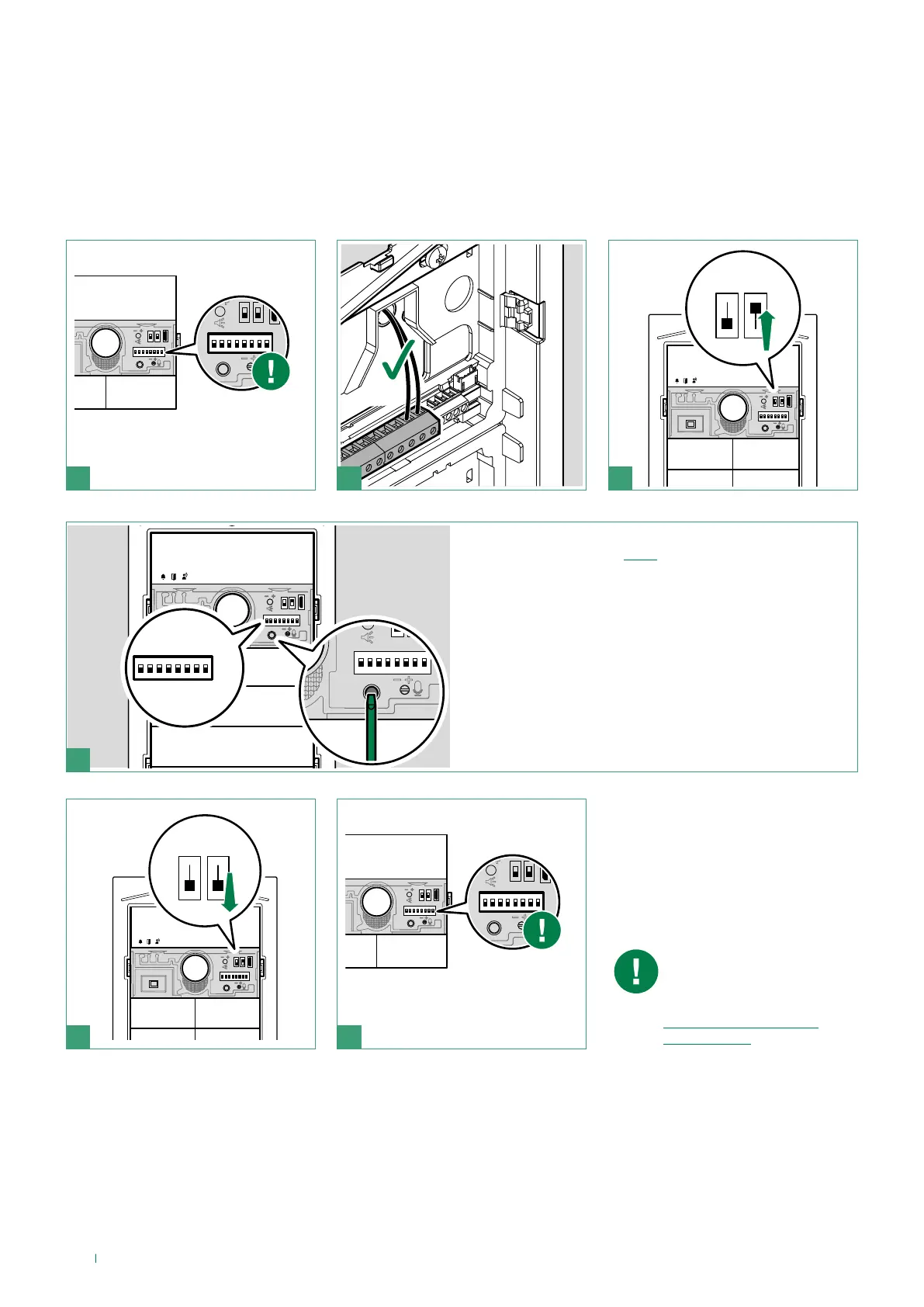
Special programming via DIP-switch
Take note of the DIP-switch
settings
1. Set the dip switches in accordance with the function you
wish to program (see table).
2. Press the confirm button.
Reset the configuration of the
DIP-switches
When programming is
complete, make sure the
button configuration is
correct (single/dual), see
“Configure button type
(single/dual)”)



 To Next Page