23
3 sec
1
2
3 sec
2
1
3 sec
1
2
3
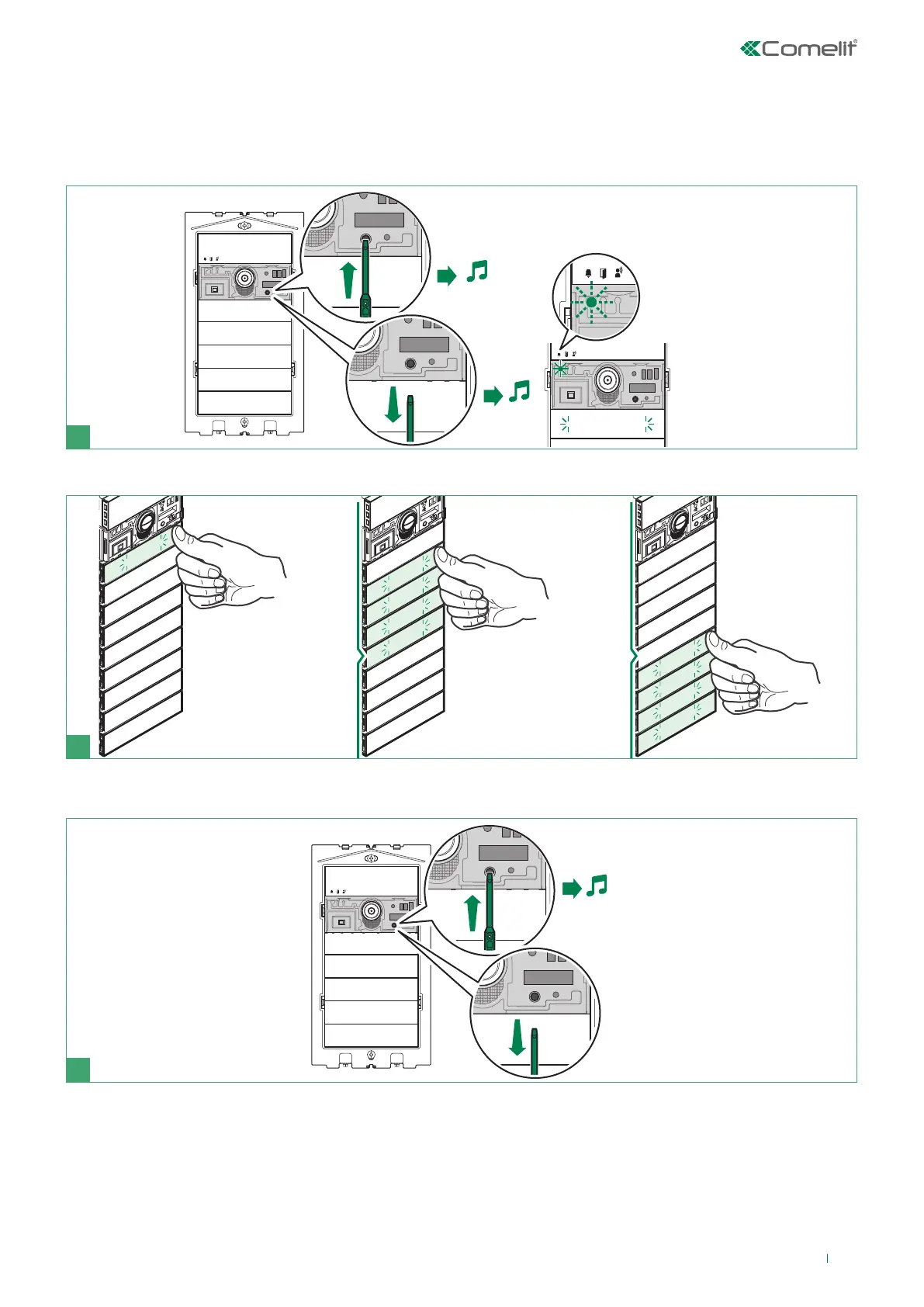
Adjusting the brightness of the button LEDs
1. Press the button for 3 sec., until you hear a beep. Release the button.
» if the procedure was completed successfully, you will hear a confirmation tone; the red LED flashes and the button
backlighting comes on.
» if there is a device error you will hear an error tone.
2. Press a button repeatedly for each module to adjust the brightness of the buttons individually.
3. To exit programming mode, press the button for 3 sec., until you hear a beep. Release the button.



 To Next Page