2.16
Fan control and timer.
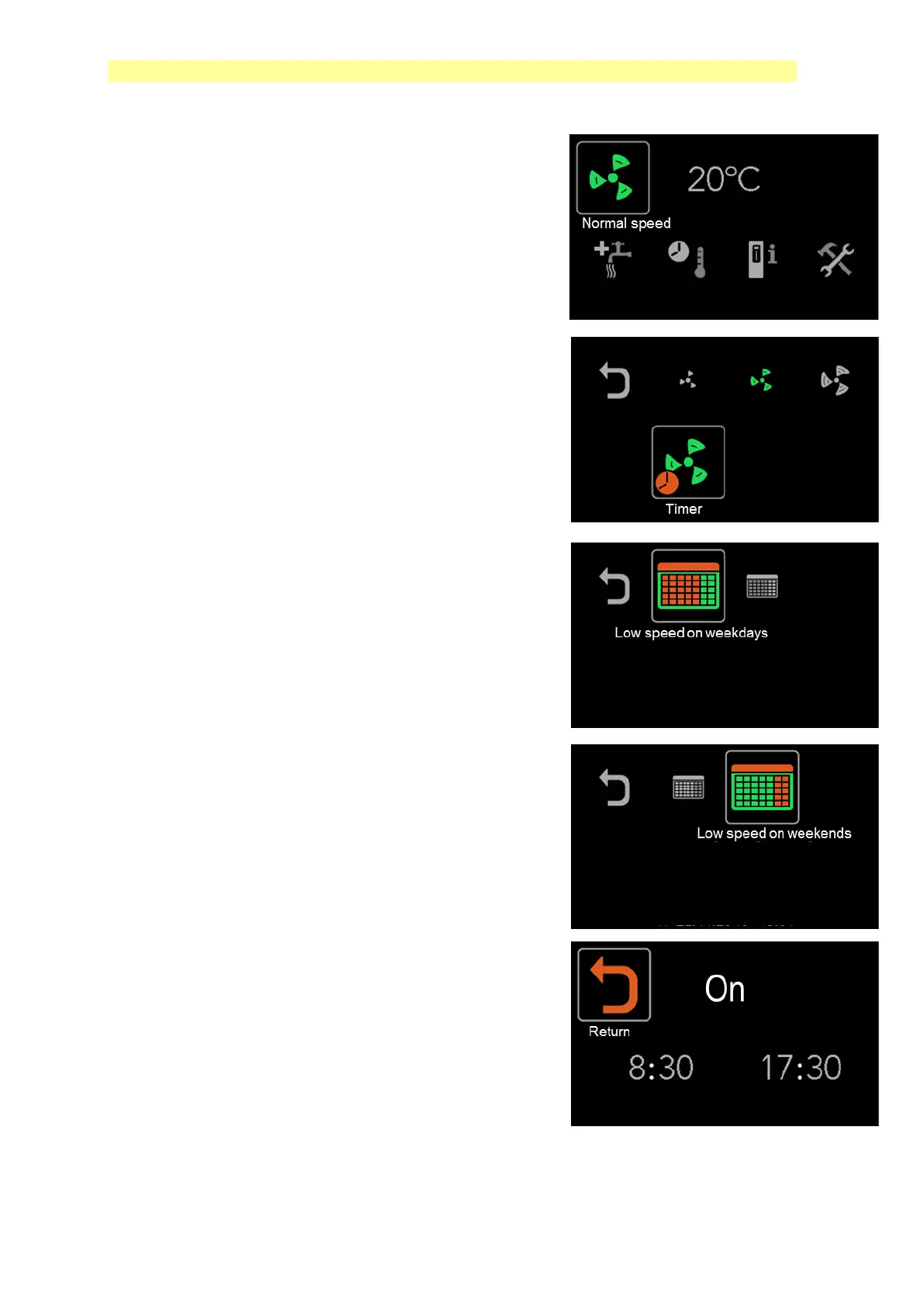
The fan speed can be set to Low, Normal, High and
Timer mode.
In the timer function you can choose to reduce the fan
speed for weekdays or weekends.
Meaning that the fan speed is reduced to LOW during
set time.
Timer setting for weekdays is shown with the first
5 bars in red indicating Monday to Friday.
Timer setting for weekends is shown with
the 2 last bars in red indicating Saturday and
Sunday.
For both of these functions, you will enter
the start and stop time.



 To Next Page