Door sensor
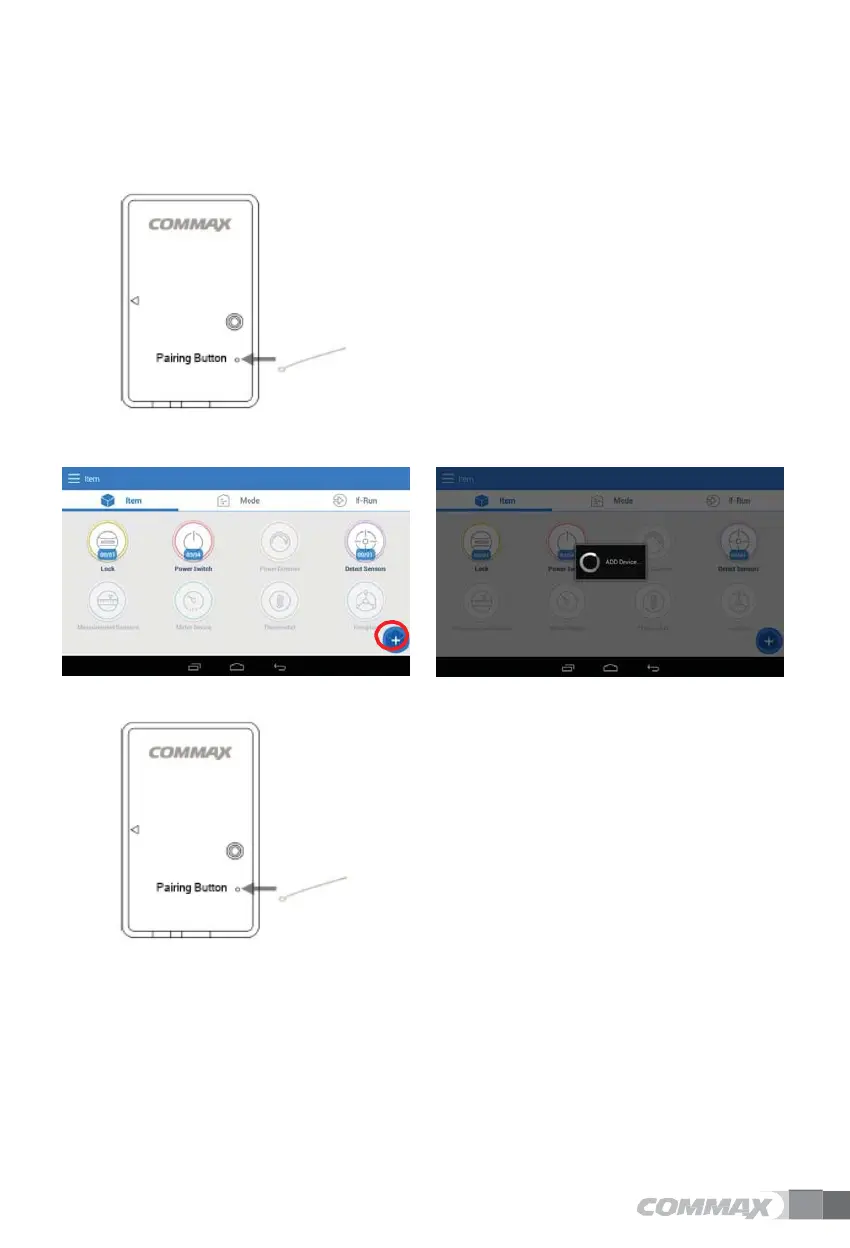
Delete door sensor
Add door sensor
1)
Press the button for about 10 seconds.
2)
Release the LED when it is blinking.
3)
Upon successful completion, the message ”Device
has been deleted” is displayed on the wall pad.
1)
Press ’+'
2)
Shown ”ADD Device..”
3)
Press the button.
4)
When registration is completed, ”Device
registered” message is displayed.


 To Next Page