Start Up S0 Network G8-S0/G3-S0-I
14 1.1/1010
In the fields “Intercom Server - Block 1“ to “Intercom Server - Block 10“ the numbers of the
Intercom Server blocks connected over S0 can be entered. Description see ”
Network Functions” on
page 17.
Configuration Examples
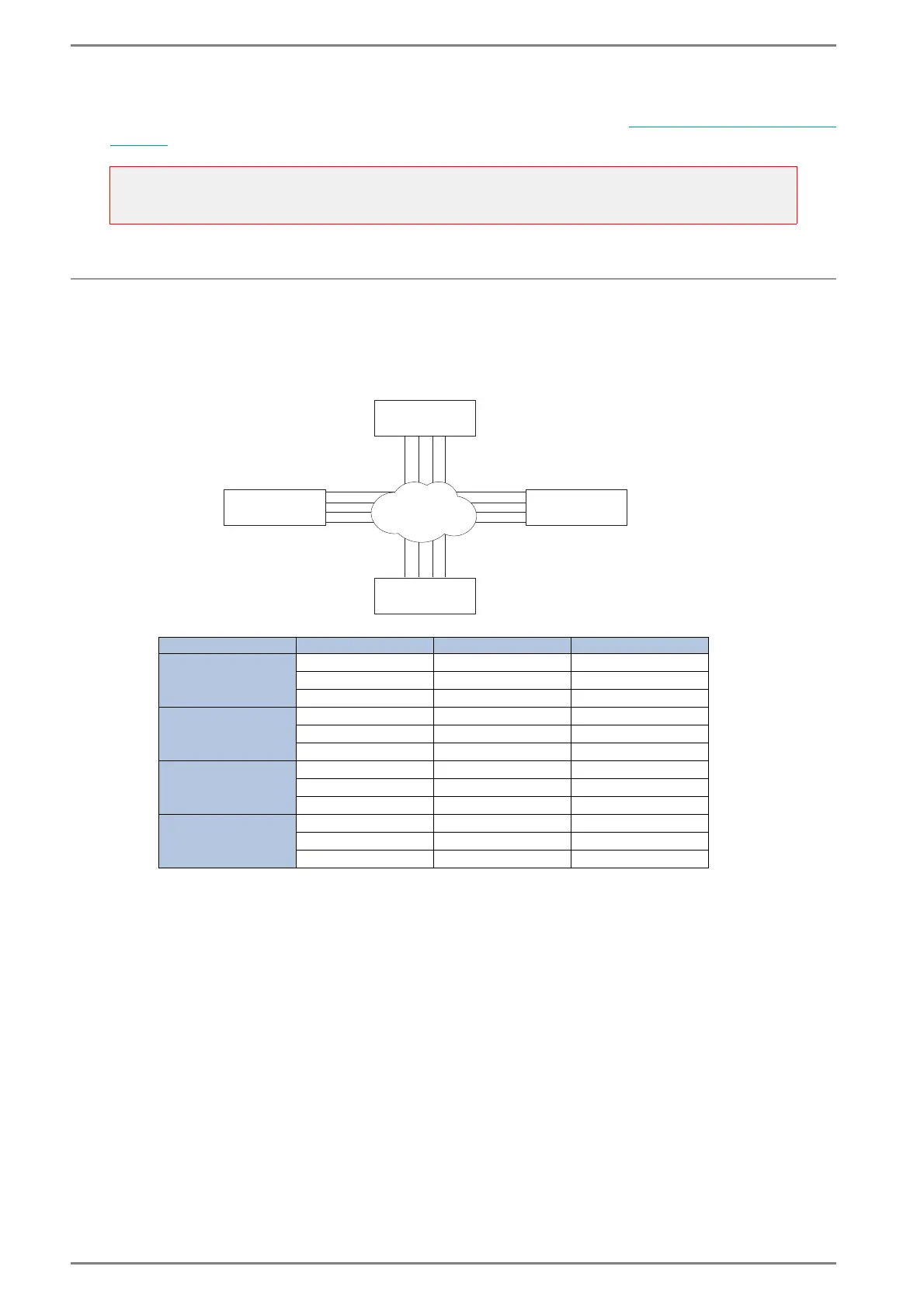
Parallel connection with point-to-point
Multiple conversations are possible between the Intercom Servers (in the example below 4 per Inter-
com Server).
ATTENTION:
For G8-S0/G3-S0-I which are used for networking, no telephone function must be activated for the
respective card at Interfaces > S0 > Server-ID - Description!
Configuration for: Target Intercom Server Target-Tel-No.: Reserved own Tel.-No.:
Intercom Server 1
2 2222 1111
3 3333 1111
4 4444 1111
Intercom Server 2
1 1111 2222
3 3333 2222
4 4444 2222
Intercom Server 3
1 1111 3333
2 2222 3333
4 4444 3333
Intercom Server 4
1 1111 4444
2 2222 4444
3 3333 4444
1111
1111
1111
3333
3333
3333
3333
1111
ISDN
4444
4444
4444
4444 2222
2222
2222
2222
Telephone no. S0
Intercom Server
Intercom Server
Intercom Server
1
2
3
Intercom Server
4













 To Next Page