G8-S0/G3-S0-I Telephone Interface
1.1/1010 29
Example:
Call from telephone to Intercom Server
same as in auto dialler mode see page 23
Cancel Conversation
At the Intercom station the conversation is cancelled with X.
At the telephone the conversation is cancelled with # or by hanging up.
Speech Control
same as in auto dialler mode see page 24
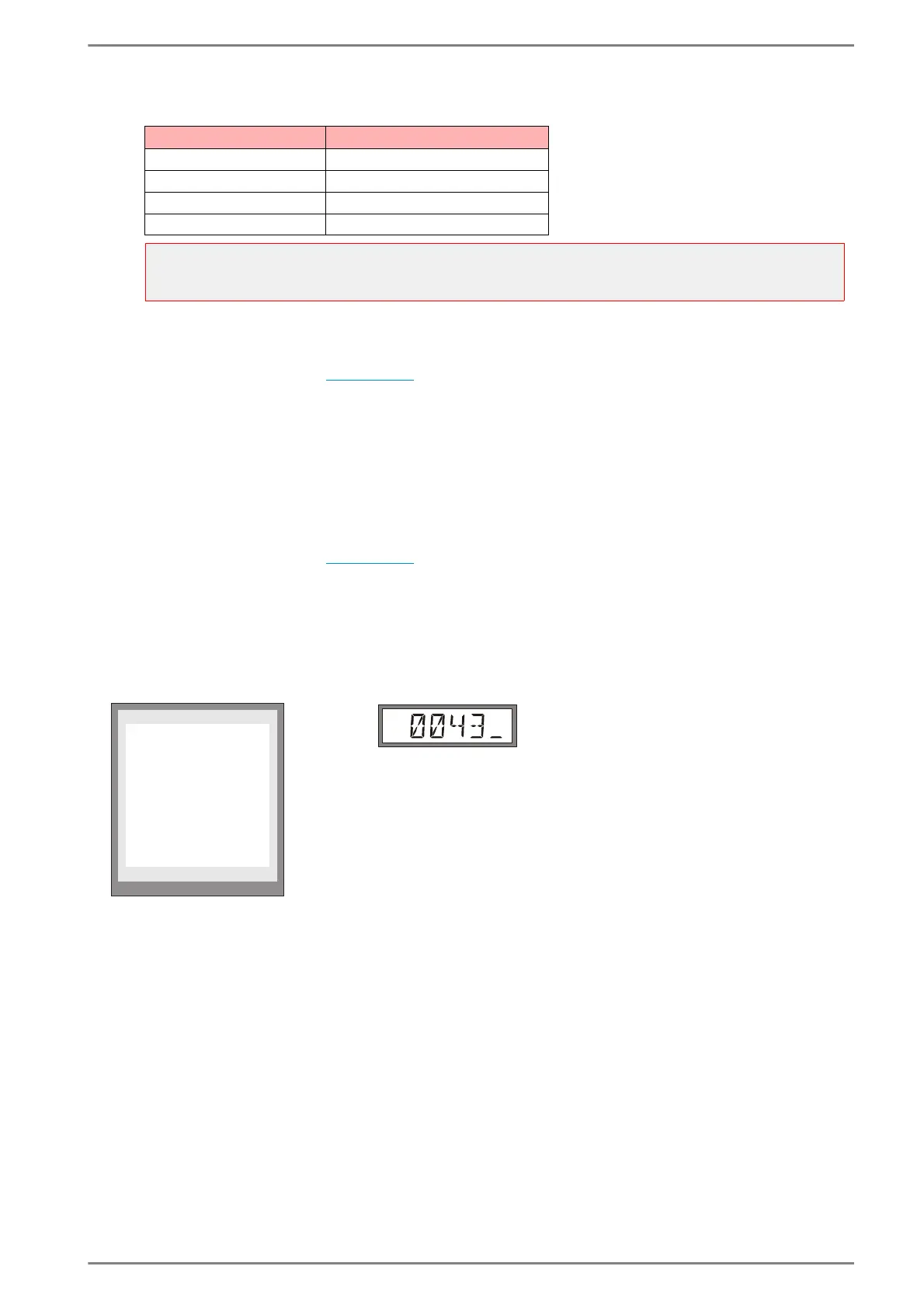
Indication of Telephone Number in Display
The telephone number dialled is shown in the display.
A cursor indicates if dialling has been completed.
EE811 EE411
As soon as the conversation is established the cursor disappears and after dialling in the Intercom
Server is possible (e.g. conference). 77 switches back to telephone dialling for 8 seconds.
Call Request in PABX Mode
It is possible to combine Auto Dialler Mode for Call Requests with the PABX Mode. So the Intercom
stations can dial to any desired telephone number, in case of a call request or input message Auto
Dialler mode is activated automatically.
PA-Code in CCT 800 Dialable Telephone Numbers
4*** 4000 – 4999
63** 6300 – 6399
345* 3450 – 3459
5* 50 – 59
Attention:
Observe collisions with Intercom call numbers and function codes (i.e. in case of a defined range of
“2***”, e.g. the Intercom call number “210” can not be dialled)!
X-Cancel
œ Volume
Telephone 145
6642324252627_
0043













 To Next Page