Section 6: Using Routes
92
Notes:
• In the Auto Route Menu you can press
to view or edit
notes for the measurement location.
• Press
to view/edit the display options for recorded
spectra/waveforms.
• Press
to view the parameter sets at this measurement
location.
• Press
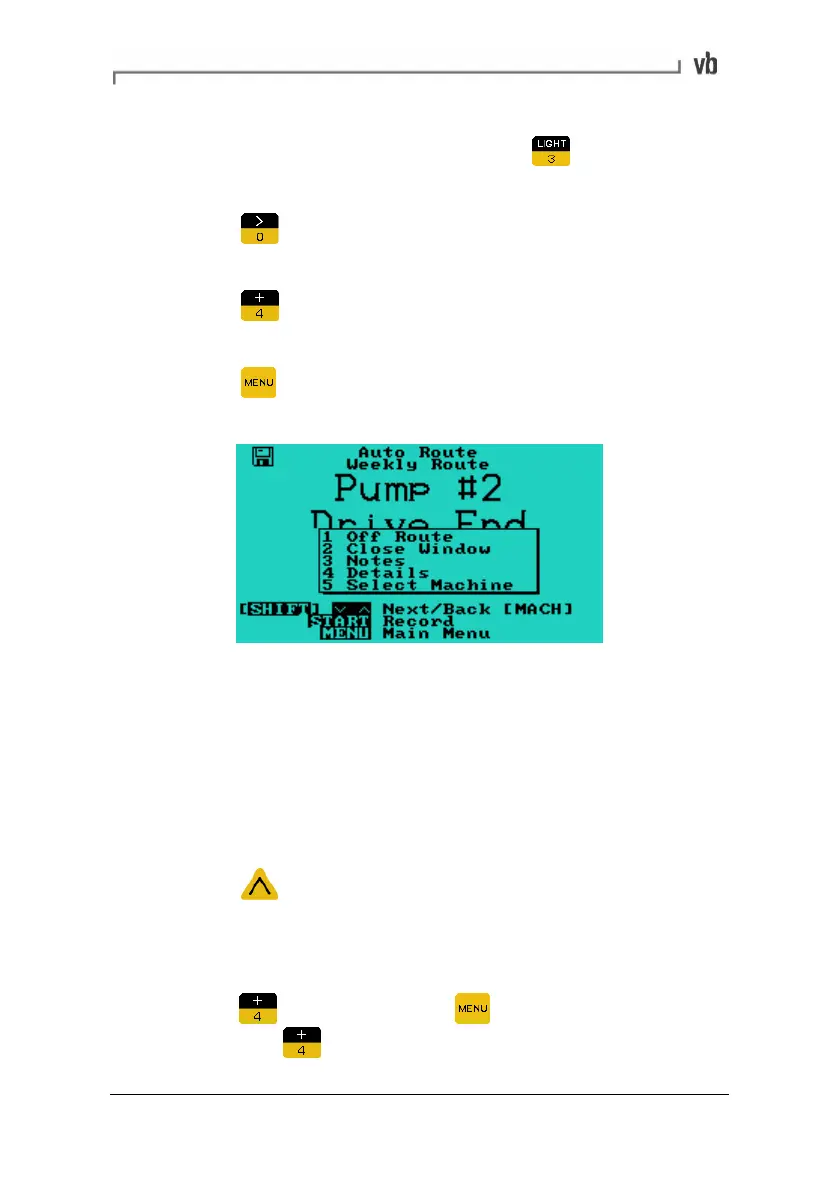
from the Auto Route Menu to open a pop-up
menu that lists these options.
Reviewing Data During a Route
When performing a route you can review any of the recordings you
have just taken.
Note: You can only review recordings from the current route using
this method (if you wish to review recordings taken on a previous
route, see Reviewing Recordings on page
84).
• Press
to return to the location you wish to review. You
can return to any previous location by pressing this key
repeatedly.
• When the route location you wish to review is displayed
press
(alternatively press to display a pop-up menu
then press
Details).
Artisan Technology Group - Quality Instrumentation ... Guaranteed | (888) 88-SOURCE | www.artisantg.com



 To Next Page