Section 6: Using Routes
94
Skipping Route Entries
• To skip a measurement location press
• To return to the previous measurement location, press
• To move forwards or backwards by an entire machine, rather
than just a measurement location, press
+ or +
Jumping to a Specific Machine
You can 'jump' to a particular machine anywhere within a route. This
gives you the flexibility to change the order in which you collect
recordings. Each machine is listed only once even though it may
appear several times in your actual route. Once you have finished
taking measurements on your chosen machine, the machine that
immediately follows it in the list becomes the next machine on the
route.
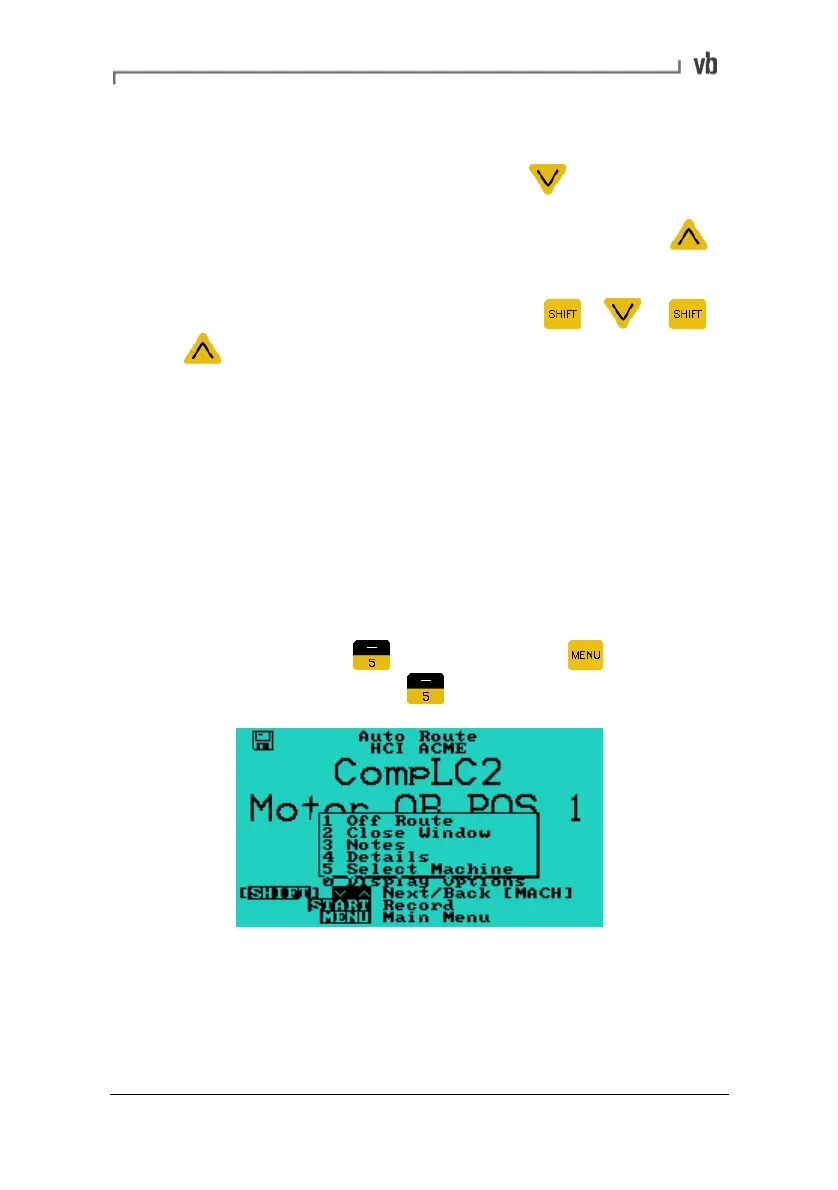
• To jump to a particular machine within the route, in the Auto
Route menu press
(alternatively press to display a
pop-up menu then press
Select Machine).
Artisan Technology Group - Quality Instrumentation ... Guaranteed | (888) 88-SOURCE | www.artisantg.com



 To Next Page