6-7Network Settings
Chapter 6: Conguration
Network Settings
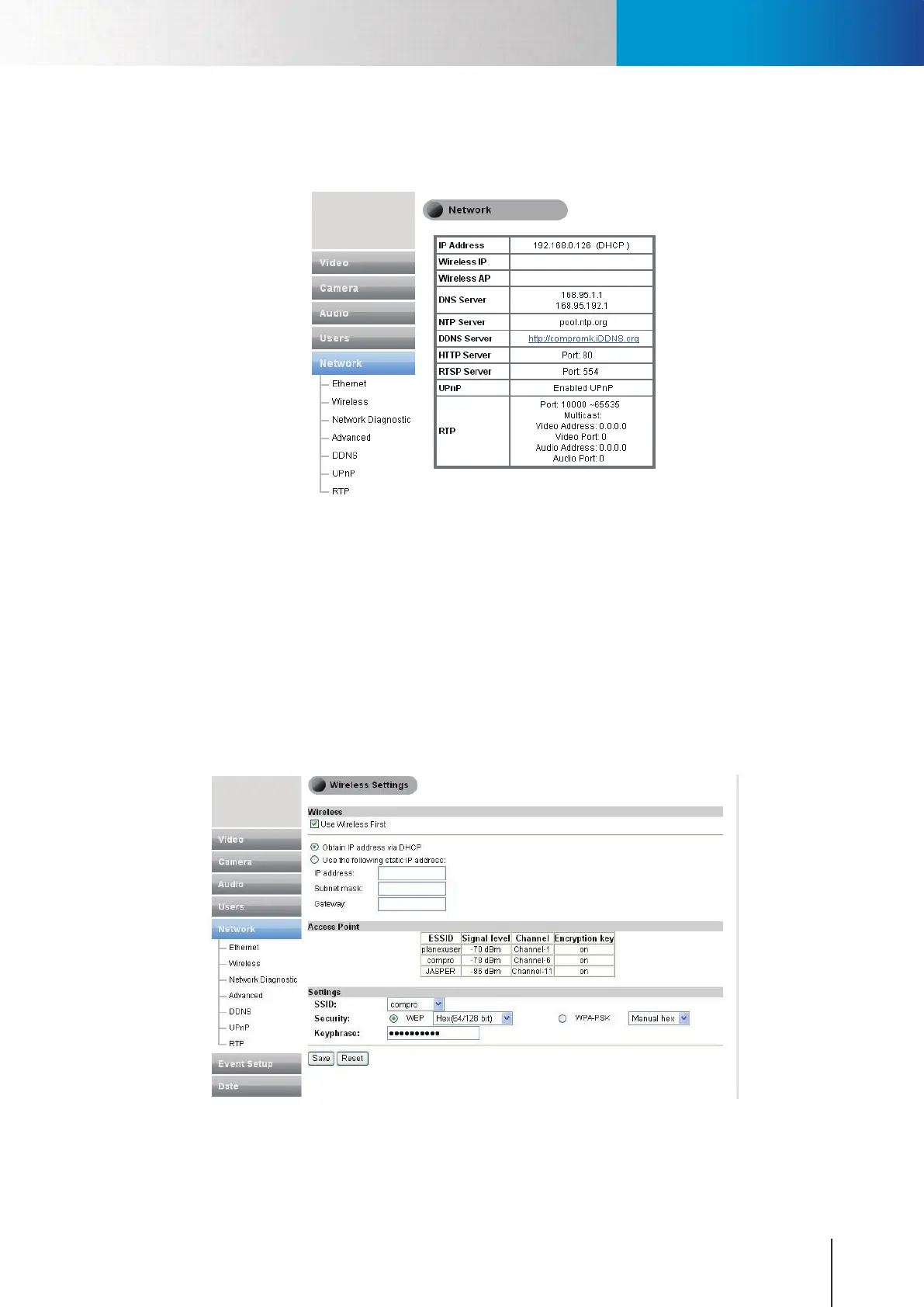
Here you can check your network settings and adjust the detailed settings.
Figure 6-9. Network settings
Ethernet
Set up the IP address for the IP camera to obtain IP address via DHCP (recommended), or use the manually
inputted static IP address, or obtain IP address via PPPoE for which you need to provide valid user name and
password.
Wireless
If you have installed the Compro wireless adaptor on your IP camera, you can set up the wireless connection
in this page. To connect wirelessly, please check the [Use Wireless First] box to give priority to wireless
connection when LAN network is also connected. And then provide the necessary information on IP address
(to obtain IP address via DHCP or use specied static IP address) and access point. And click [Save] to save the
changes.
Figure 6-10. Wireless settings



 To Next Page