6-12 Event Setup
Compro IP55 / 60 / 70 Network Camera
Motion Detection Setup
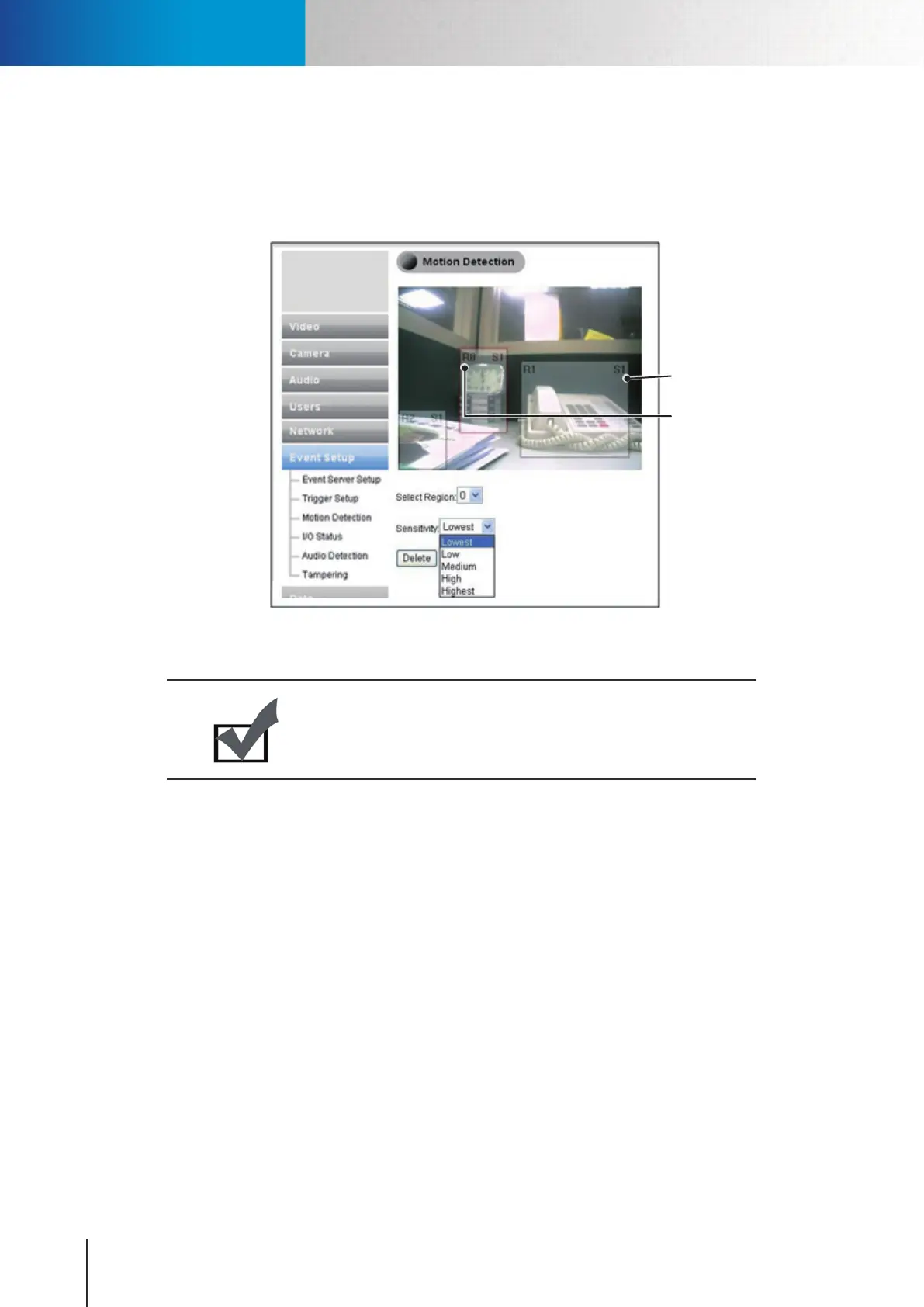
Motion detection feature provides a selection of 3 regions for motion detection. You can directly click and
drag on the preview screen to set a detection region. Prior to that, please select the region (0, 1 or 2 ) and the
sensitivity level (S1: Lowest, S2: Low, S3: Medium, S4: High, S5: Highest) from their drop down list. Press [Save]
button for the settings to take eect.
Sensitivity Level
Region Number
Figure 6-11. Motion detection
If you don’t want to keep a set region, please select the region number and click [Delete] to delete it.
Note:
If you want to record video onto SD card whenever motion in the
scene is detected, you need to set at least a motion detection region
before setting up event-based recording in Recording Setup.
I/O Status
Here displays the status of your I/O port for your reference.
Audio Detection
Congure the sensitivity level in audio detection used by event trigger. Available options: low, medium, high.



 To Next Page