Statox 503 Control Module
Page 16 of 46 Issue 10 / 2018
Statox 503 main menu
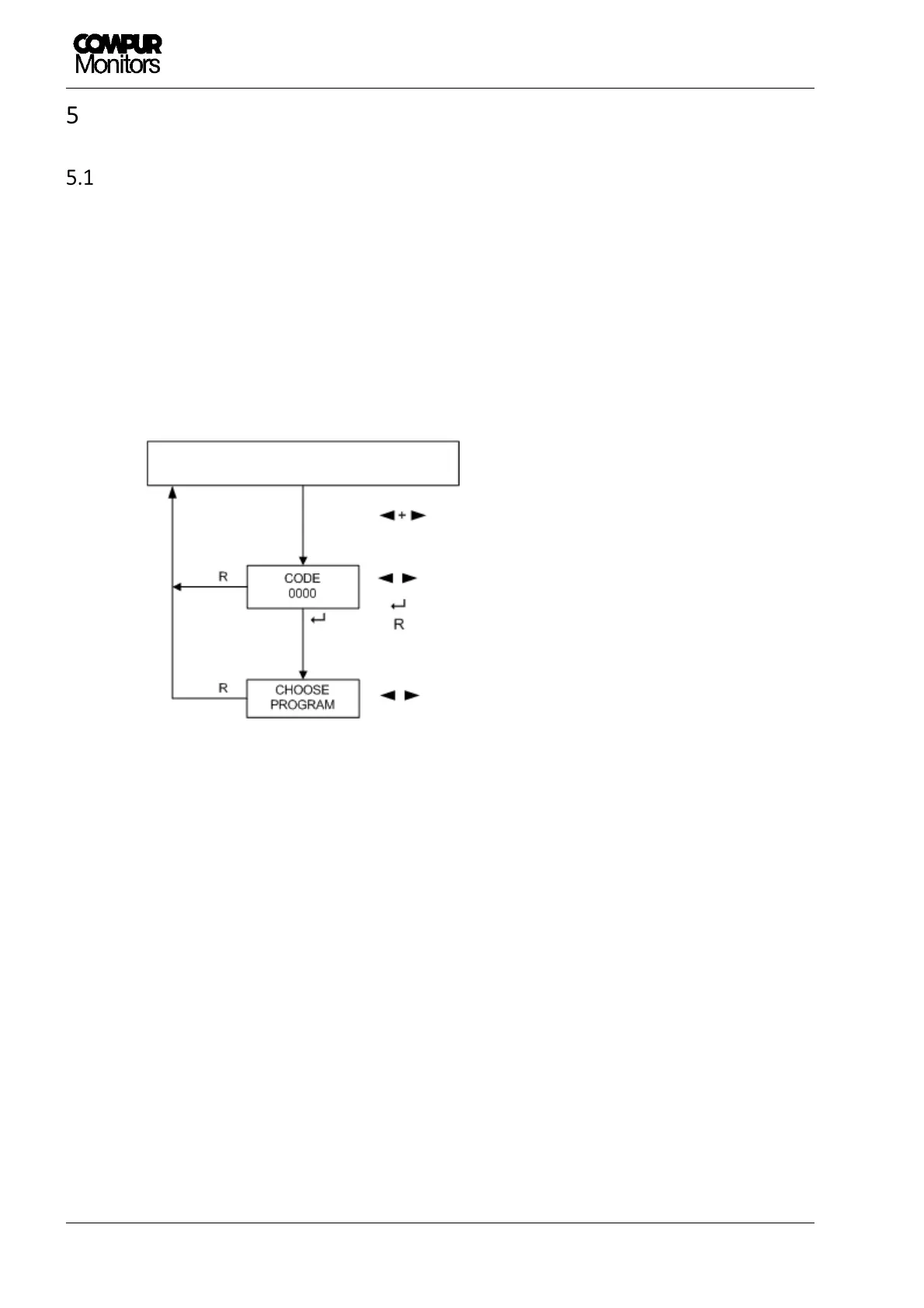
Password
The main menu is password protected. No matter if in the measuring, the failure or the start mode: below
procedure gives access to the main menu.
The password is: 1994 (not changeable)
Figure 91: Password menu
1. Push ◄- and ► -button together for 2 s.
2. Enter the first digit with ◄ or ►. Use the Reset button for corrections.
3. Confirm with Enter.
4. Continue with the next 3 digits the same way.
5. After confirming the last digit with Enter you have access to the main menu, provided the correct
password has been entered.
If message „CODE INVALID“ appears, a wrong password has been entered. Try again after two
seconds.
Increase or decrease value
Next digit
Change Menu item
MEASURING MODE


 To Next Page