Statox 503 Control Module
Issue 10 / 2018 Page 19 of 46
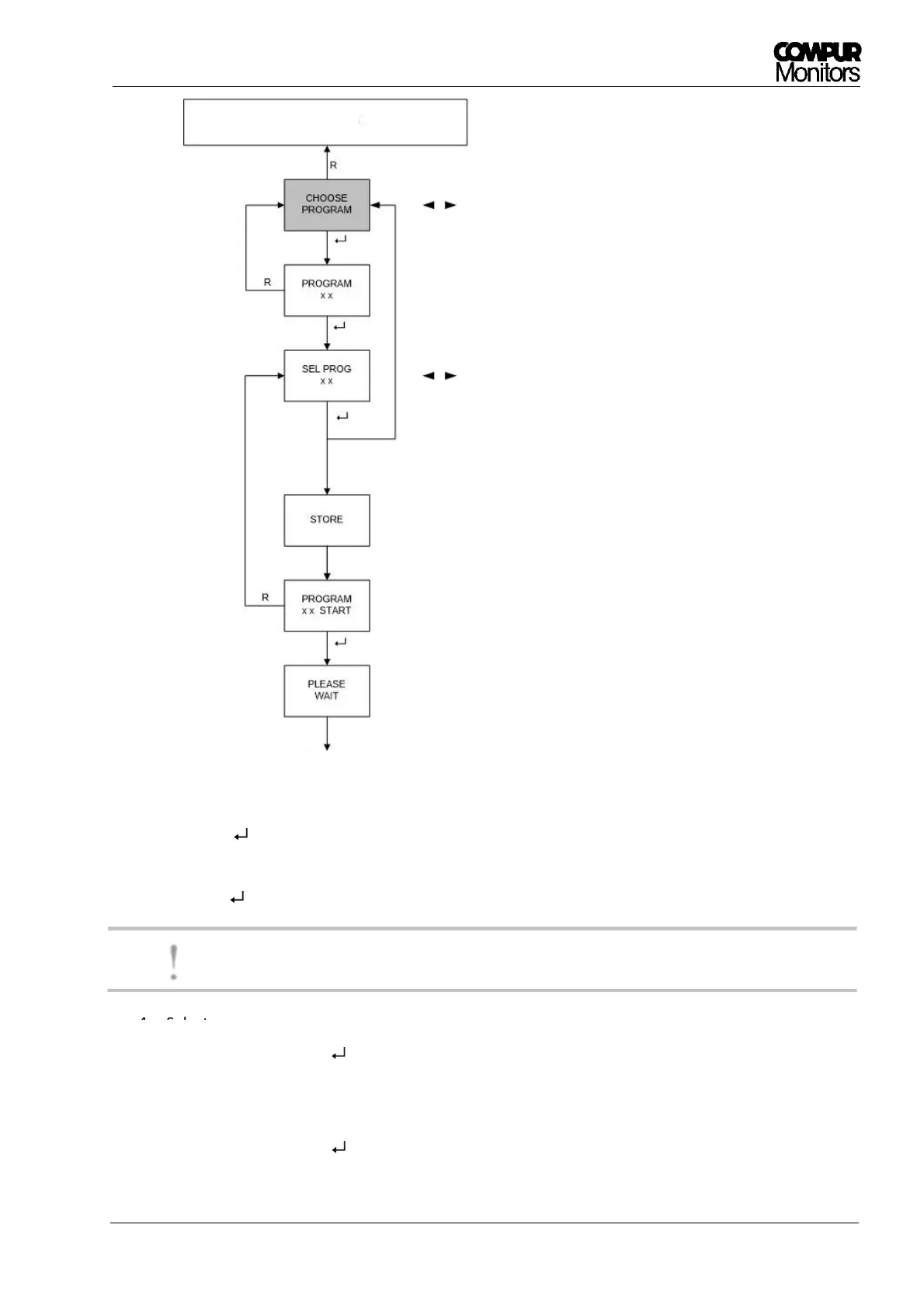
Figure 13: Program selection diagram
1. Push the - button to enter the „CHOOSE PROGRAM“ menu.
2. The active program is shown on the display.
3. Push the - button to start the program selection
Now the time-out is deactivated!
4. Select your program with the ◄- or ►- button. Push and hold◄ or ► for the fast mode.
5. Confirm by pushing the - button.
6. The display shows „Store“ for 2 seconds.
7. Then the number of the new program is shown.
8. Confirm by pushing the - button to start measuring with the new program.
!
Change Menu item
Active program
Select new program,
no Time-Out!
Displayed for 2 sec
New program number.
Push ENTER to start.


 To Next Page