26
$GMXVWWKHVRXQGYROXPHRIWKHPDLQXQLW
• The volume for the checking sound, announcing sound, and sound when
recorded video footage is played can be selected from eleven different vol-
ume levels [OFF/1 to 10].
• The sound effect for the occurrence of an error is generated even when
the volume is set to OFF.
• The default setting is [5].
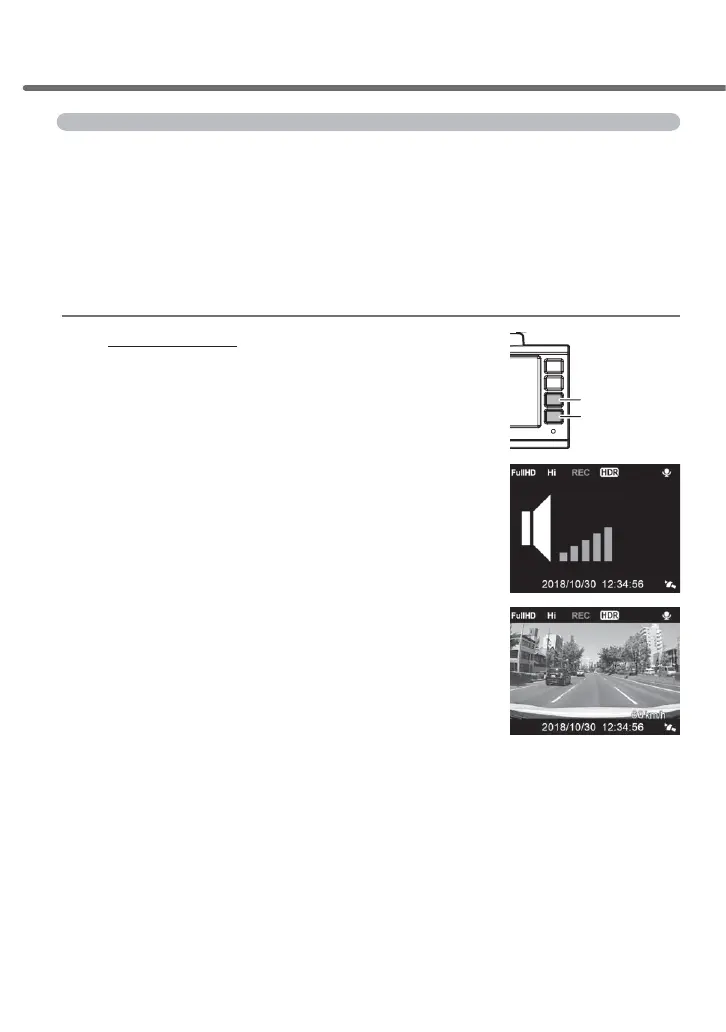
$GMXVWPHQWPHWKRG
1) Press and hold [Up] or [Down]
to display [Sound adjustment screen].
2)
Adjust the sound volume using [Up] and [Down].
- Pressing and holding [Up] or [Down] increases/de-
creases the sound volume one level at a time.
3)
Pressing [Menu/Return] sets the sound volume
level to the adjusted level and returns to the re
-
cording screen.
- It automatically returns to the recording screen if no
operation is performed for a certain time period. (The
adjusted sound volume is saved.)
Down switch
Up switch
Shooting video footage



 To Next Page