57
Setting
Language settings
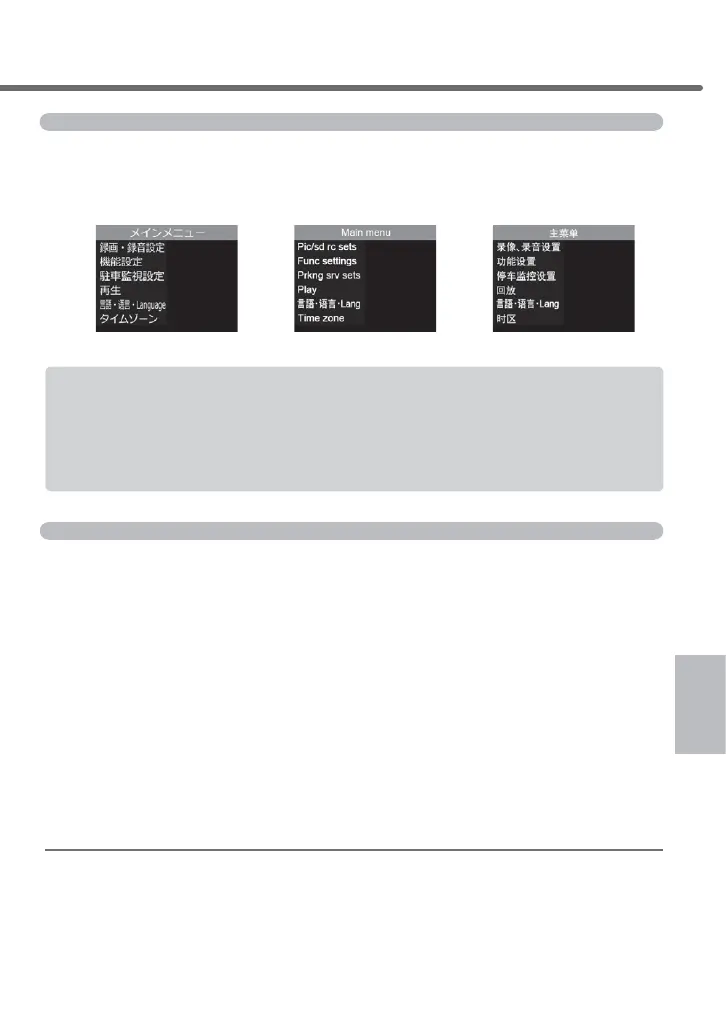
For this product, you can switch a display language of the settings screen
IURP-DSDQHVHWR(QJOLVKRU&KLQHVH6LPSOL¿HG&KLQHVH
[Japanese] [English] [Chinese]
■ Examples of languages used in the settings screen
• Switching is only applicable for the display languages found in settings
screen. Various voice announcements are all output by alarm sounds.
• You cannot select [Voice] for the [Recording notification], [Leading vehicle
VWDUWXSQRWL¿FDWLRQ@>)URQWVLJQDOQRWL¿FDWLRQ@DQG>'ULYHVXSSRUW@VHWWLQJVZKHQ
[Language] has been set to a language other than [Japanese].
Time zone settings
You can select one of the following preset areas as the standard time for the
time display of this product. It is also possible to set the daylight saving time.
* This unit does not support US Virgin Islands, Guam and Saipan time zones.
Ŷ&RQWHQWRIVHWWLQJV
[Japan] ............................ Use Japanese Standard Time (UTC+9).
[China, Hong Kong, Taiwan]
..... Use the standard time for China, Hong Kong and Taiwan (UTC+8).
[USA EST] ....................... Use Eastern Standard Time of USA (UTC-5).
[USA CST]
.......................Use Central Standard Time of USA (UTC-6).
[USA MST]
....................... Use Mountain Standard Time of USA (UTC-7).
[USA PST] ....................... 8VH3DFL¿F6WDQGDUG7LPHRI86$87&
[USA AKS] ....................... Use Alaska Standard Time of USA (UTC-9).
[USA HAST]
.......................Use Hawaii-Aleutian Standard Time of USA (UTC-10).
Daylight saving time settings
By turning on this setting, it will display the time in the selected time zone
by adding an hour.
Setting



 To Next Page