20
Regarding recording of video footage
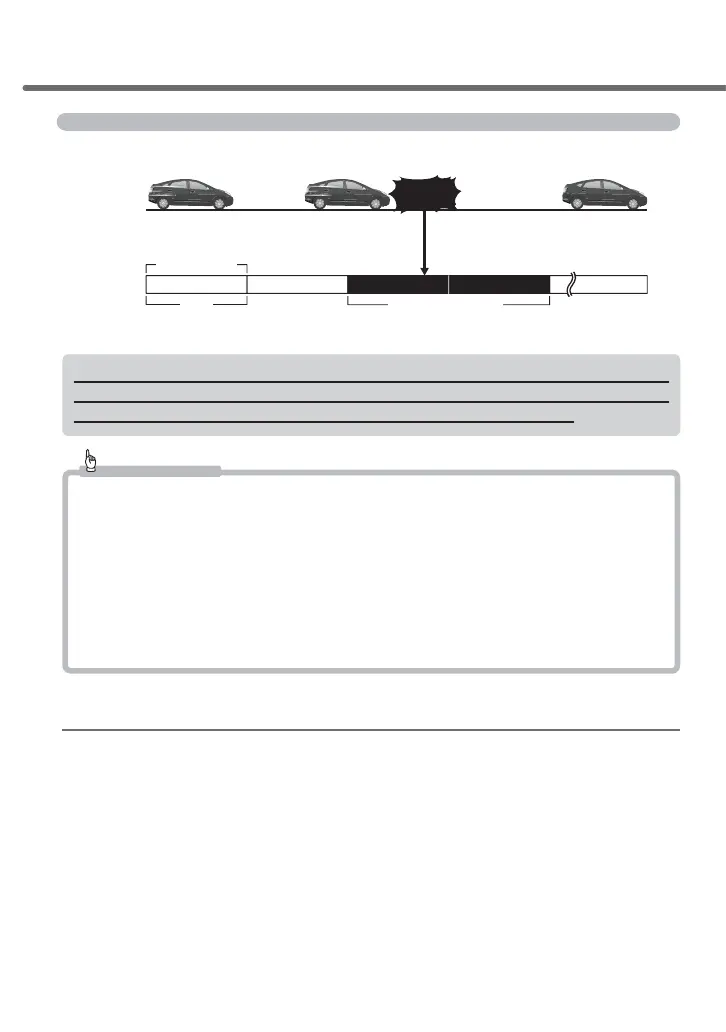
This product has two ways of recording: "continuous recording" and "event recording."
About 30 seconds
Event recording data
Continuously
recorded data
Engine OFF
Stop continuous recording
Engine ON
Starts continuous recording
About 30 seconds
About 30 secondsAbout 30 secondsAbout 30 seconds
Impact detection/
switch operation
Vehicle status
Recorded content
1 file
*Saves a file on the occasion of an event (impact detection/switch operation) and two files before and after that event.
*Recording time length for files differ when the frame rate settings are set to ‘time lapse 1 frame’ or ‘time lapse 3 frames.’
If a weak impact occurs at the time of an accident, there are cases where record-
ing of video footage may not be performed even though an impact has occurred.
Check the video footage of the continuous recording in such cases.
Advice
• By default, when the capacity of the micro SDHC card is fully occupied, the oldest data in the
respective recording area for continuous recording or event recording will be overwritten to
record new data.Operations while overwriting can be changed through the settings.(=> P 50)
• Video footage may not be recorded by means of operating the switch or after receiving an im-
pact immediately after starting up the main unit.
• When saving recorded data by operating the switch or when an impact occurs, new video
footage will not be recorded even when the switch is being operated or an impact is detected.
• Video footage cannot be recorded when the LED lamp is lit or blinking in orange. Finish set-
ting or clearing the error.
Regarding continuous recording
• Automatic continuous recording is performed as a sequence from the time after the en-
gine is turned on (vehicle key switch is set to ACC or ON) to the time when the engine
LVWXUQHGRႇYHKLFOHNH\VZLWFKLVVHWWR2))DVFRQWLQXRXVO\UHFRUGHGGDWDLQWKHPL
-
cro SDHC card.
• By default, when the maximum data capacity is reached, the oldest video footage is
deleted in chronological order, and then new video footage is continued to be recorded.
• Changing the setting to [Overwriting prevention] does not delete the old video footage
and allows stopping the recording as well. (=> P. 50)
Shooting video footage



 To Next Page