56
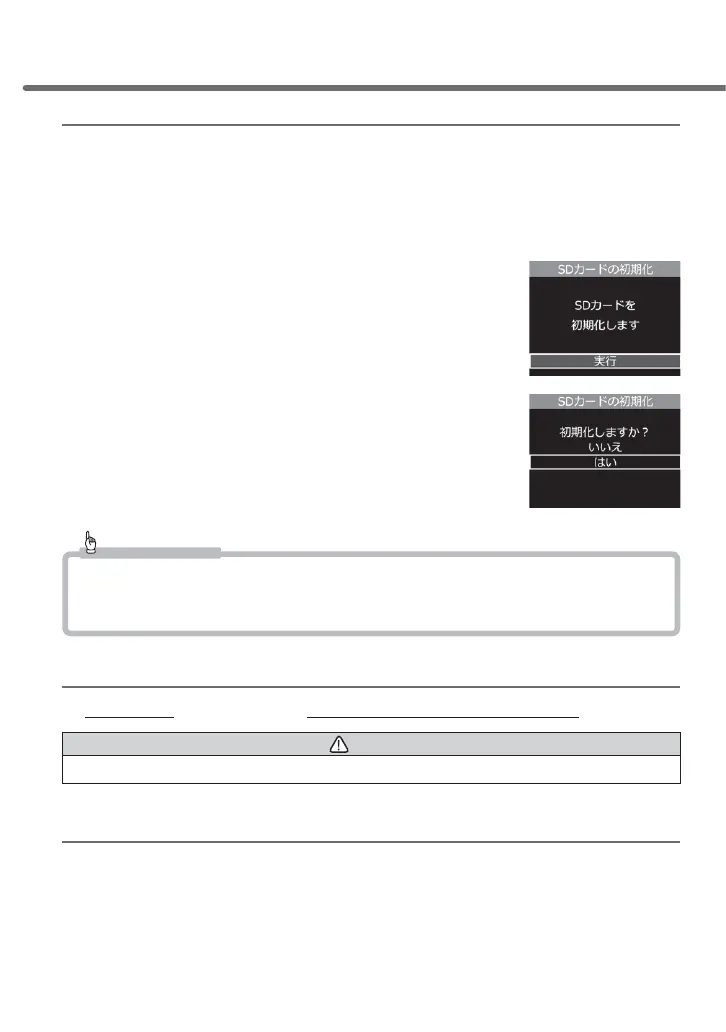
SD card formatting (internal data deletion)
• Deletes and initializes the internal data of the microSDHC card
(Settings data of the main unit will be retained in spite of formatting).
• Whenever using a brand new microSDHC card and other microSDHC
cards other than the one included, you need to format the SD card.
Ŷ5HIRUPDWWLQJPHWKRG
1) Press [OK] and select [Execute]
2) Select [Down] and [Yes], and then press [OK]
to start reformatting the microSDHC card
Advice
• All data within the microSDHC card will be deleted. Make sure you backup the
internal data in advance.
• For stable use, it is recommended to reformat the cards periodically.
Reset to factory setting status (Resetting all)
Deletes all RIWKHSURGXFWV recorded data and settings data
Caution
Deleted data cannot be restored.
Ver. information
The software version of this product is displayed.
Setting



 To Next Page