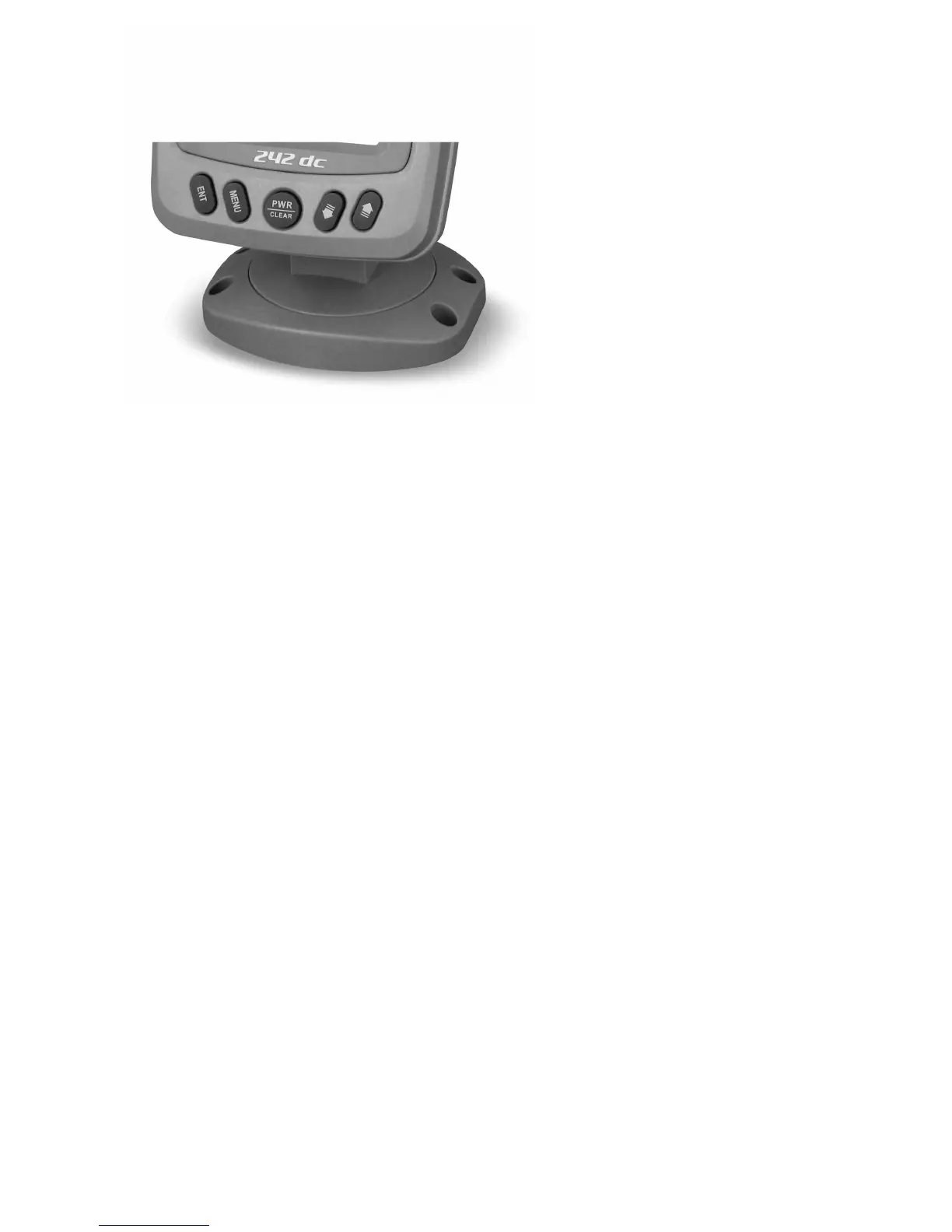
Keyboard instruction
The Fishfinder sound a tone when you press the key which means the unit has accepted a
command. Your Fishfinder user interface is designed with 5 easy-to-use keys.
Just by simple operation you could have various on-screen views and menus.
PWR / CLEAR Key
The PWR / CLEAR key is used to turn the Fishfinder on or off and to go out from the menu
pages.
Pressing the POWER key for 6s without releasing, you will enter into simulation mode.
ENT Key
The ENT key is used to select an item on the various menu pages.
MENU Key
The MENU key is used to enter into the menu and switch among the 4 pages of the menu.
It is also used to exit an item.
DOWN Key
The UP key is used to select an item on a menu. In some menu option, the DOWN key is
mostly used to decrease the value.
UP Key
The UP key is used to select an item on a menu. In some menu option, the UP key is mostly
used to increase the value.


 To Next Page