c) Use the Up / Down Arrow to select Beeper option.
d) Press ENT to enter into setting.
e) Use the Up / Down Arrow to select the option.
f) Press ENT to confirm and exit the setting.
Units
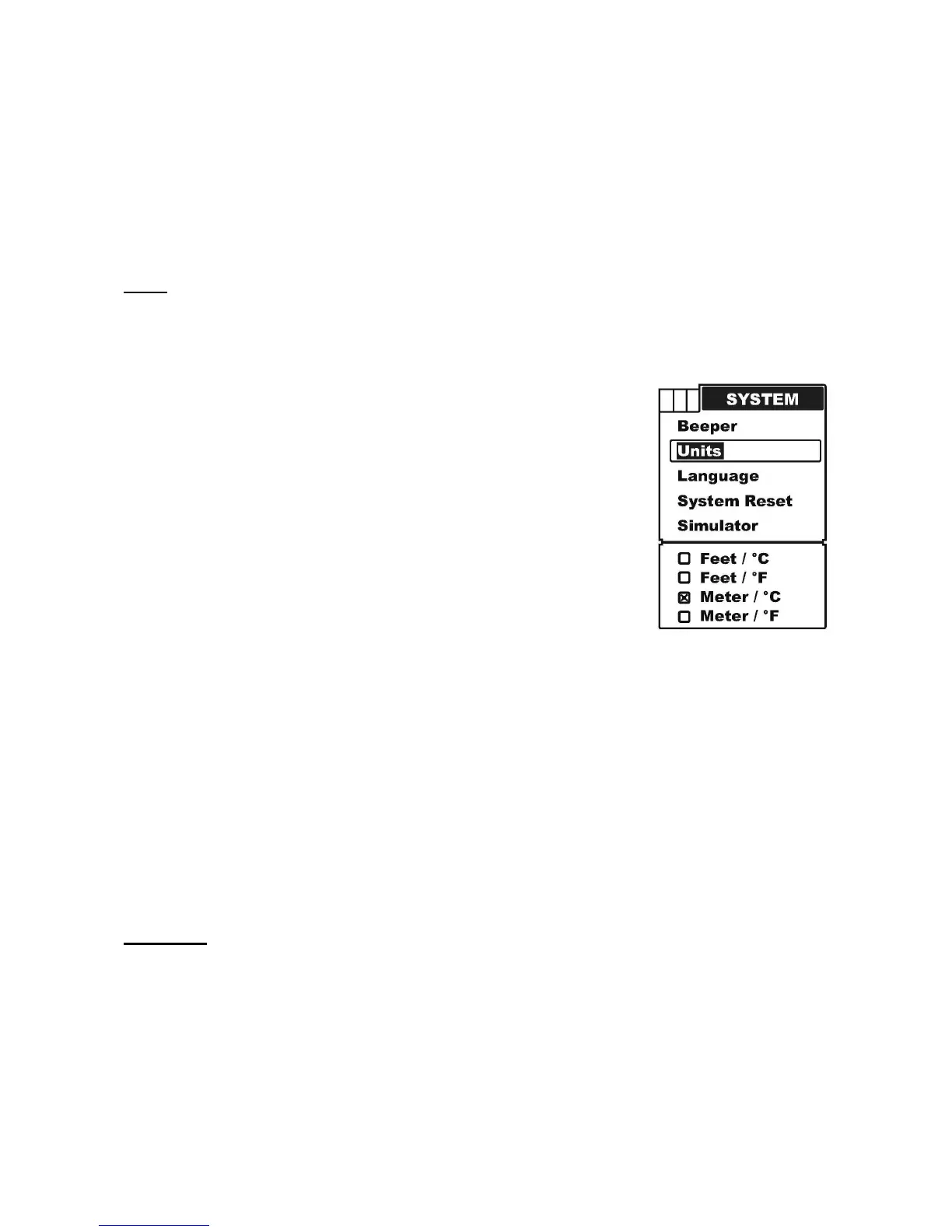
Units is used to choose depth unit and Temp unit. There are four combinations for you to
choose the depth unit and Temp unit:
Feet / Celsius
Feet / Fahrenheit
Meter / Celsius
Meter / Fahrenheit
To set the Units:
a) Press MENU to enter into menu setting,
b) Repeatedly press MENU to switch to System menu.
c) Use the Up / Down Arrow to select Units option.
d) Press ENT to enter into setting.
e) Use the Up / Down Arrow to select the option.
f) Press ENT to confirm and exit the setting.
Language
Language is used to change to language of all menus of the instrument.
This is the first thing you have to do when power the Condor for the first time. It is possible
to choose from 16 different languages.
To set the Language:


 To Next Page