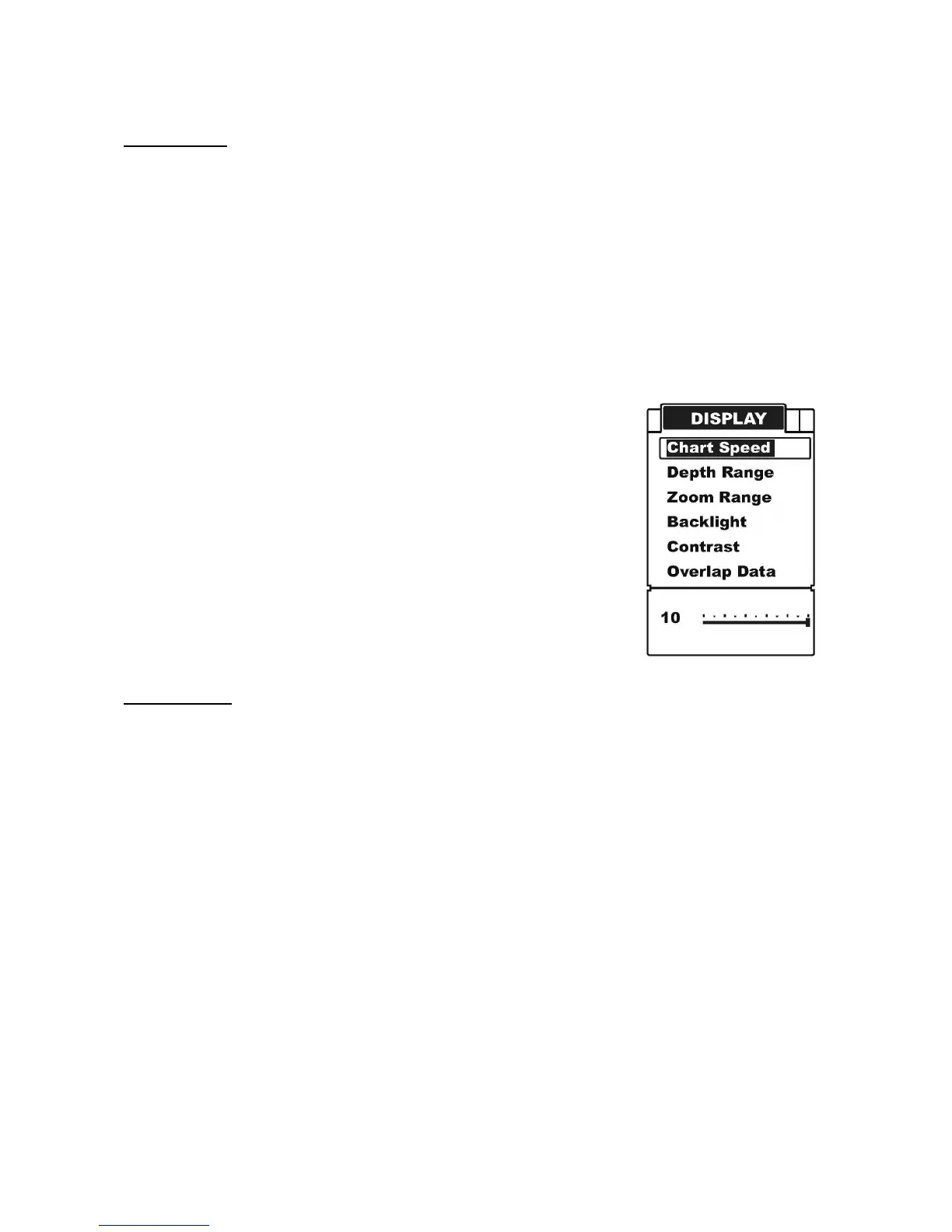
DISPLAY
Chart Speed
Chart Speed control how fast the sonar information moves across the screen. With the
high speed, you could see more information across the screen; however the fast moving
information makes you feel difficult to interpret the fish details and bottom.
With the low speed, you fell easeful to have enough time to interpret the fish details and
bottom. However the compressed information may cause a little problem for you to
interpret them.
To achieve better images, try adjusting the Chart Speed level to match the actual condition:
stationary, drifting slowly or running you boat at different speed.
To set the Chart Speed:
a) Press MENU to enter into menu setting.
b) Repeatedly press MENU to switch to Display menu.
c) Use the Up / Down Arrow to select Chart Speed option.
d) Press ENT to enter into setting.
e) Use the Up / Down Arrow to increase / decrease the value.
f) Press ENT to confirm and exit the setting.
Depth Range
Depth Range determine in which portion the bottom will display in the screen. (For example,
if the actual depth is 10m, and the current Depth Range is 20m, then the bottom will display
on 50% portion of the screen). There are 9 levels for the depth range setting:
a) with feet unit: 15, 30, 60, 120, 180, 240, 480, 720, auto
b) with meter: 5, 10, 20, 40, 60, 80, 150, 220, auto
The default setting is “Auto”, which will keep the bottom always display in a proper portion
on the screen. However in some certain situation, you could also manually select a depth
range:


 To Next Page