Contrast
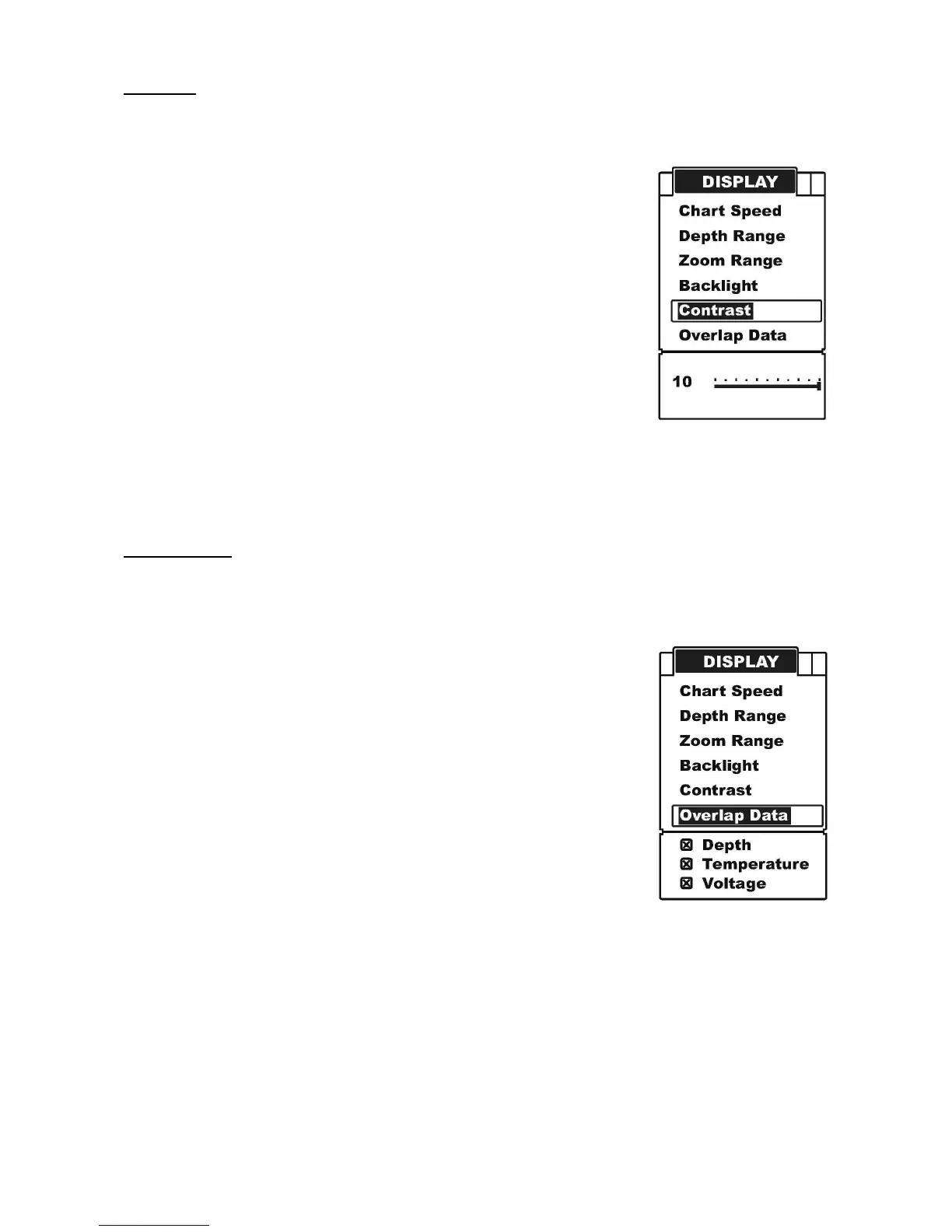
Contrast can let you to get a suitable display when you operate the unit.
To set the Contrast:
a) Press MENU to enter into menu setting,
b) Repeatedly press MENU to switch to Display menu.
c) Use the Up / Down Arrow to select Contrast option.
d) Press ENT to enter into setting.
e) Use the Up / Down Arrow to increase / decrease the value.
f) Press ENT to confirm and exit the setting.
Overlap Data
On the upper left corner display, there are 3 readout: Water Depth, Temperature, Voltage.
Overlap Data determines which readout will be displayed.
To set the Overlap Data:
a) Press MENU to enter into menu setting,
b) Repeatedly press MENU to switch to Display menu.
c) Use the Up / Down Arrow to select Overlap Data option.
d) Press ENT to enter into setting.
e) Use the Up / Down Arrow to select the option.
f) Press ENT to confirm and exit the setting.


 To Next Page