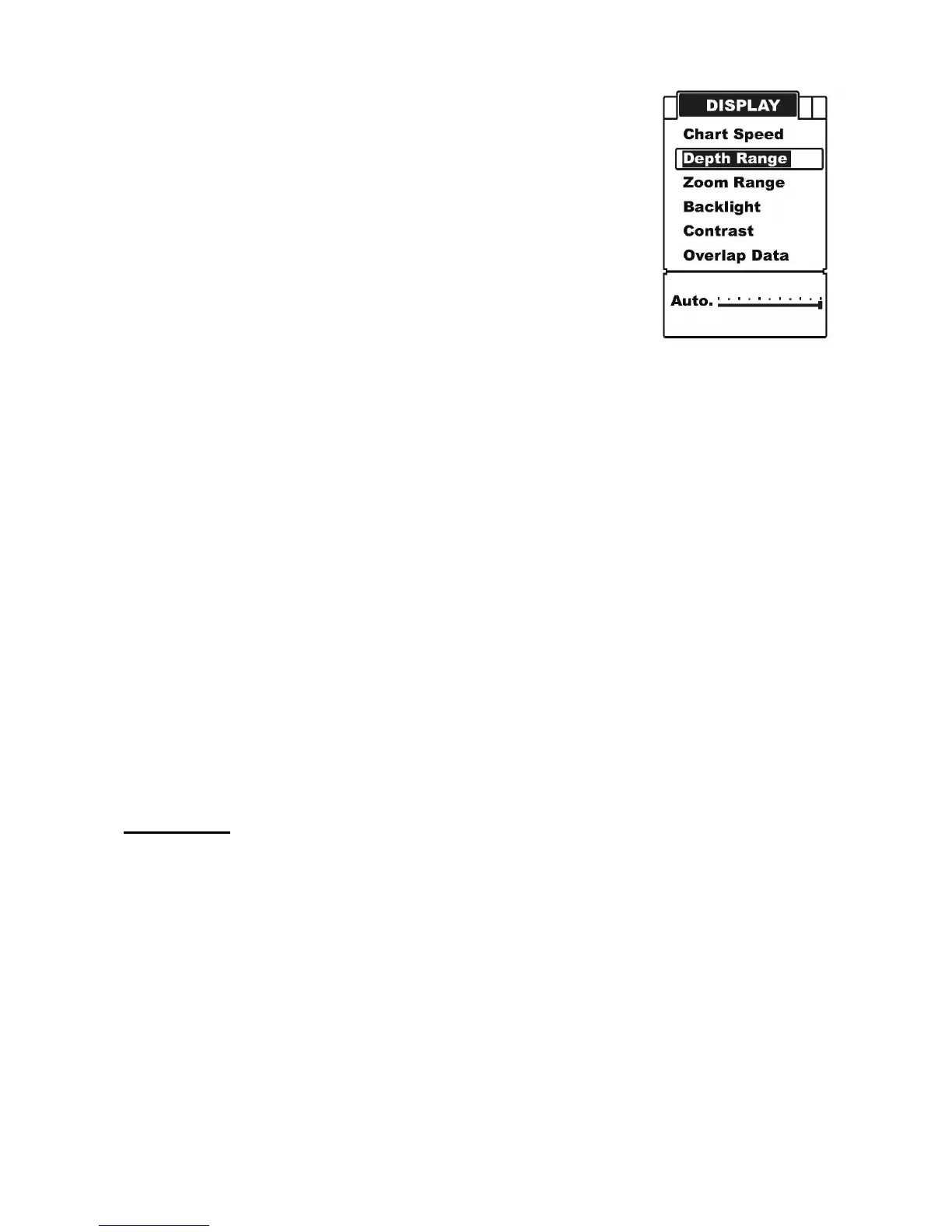
To set the Depth Range:
a) Press MENU to enter into menu setting.
b) Repeatedly press MENU to switch to Display menu.
c) Use the Up / Down Arrow to select Depth Range option.
d) Press ENT to enter into setting.
e) Use the Up / Down Arrow to increase / decrease the value.
f) Press ENT to confirm and exit the setting.
Note: after you enter into the setting by press Ent key, the operation figure will change
from A to B, then just Down Arrow key to change levels.
Sometimes you may encounter such a problem: there is a “second bottom” displayed as
sonar return, even you know that is impossible.
Such problem occurs due to a very low water or the bottom is so hard, which enable the
sonar returning so strongly.
To resolve this problem:
a) Try increasing the Noise Reject to a proper value
b) Change the Depth Range to a value which is very close to the true depth.
Zoom Range
Zoom Range is used to enlarge some certain depth segment, which is helpful for you to
see small details, fish signals and bottom structure. Your fishfinder has a wonderful
performance to see any depth segment with any scale.
For example, if the current Depth Range is 0~40m, by setting Zoom Range to 20~25m,
you can see the sonar image of the 20~25m depth segment with a 8x scale. And by setting
it to 20~30m, you can see the sonar image of the 20~30m depth segment with a 4x scale.
To set the Zoom Range:
a) Press MENU to enter into menu setting.


 To Next Page