9
Camera app is opened, press the key to take a
picture or record a video.
• Clear Key: Press to delete text or numbers before
the cursor.
• Voicemail Key: Press and hold in the home screen
to check your voicemail.
• Vibration Mode Key: Press and hold in the home
screen to turn vibration mode on or o. While
entering text, press and hold to change the input
mode.
• Volume Key: Press to turn the volume up or down or
to enable silent/vibration mode.
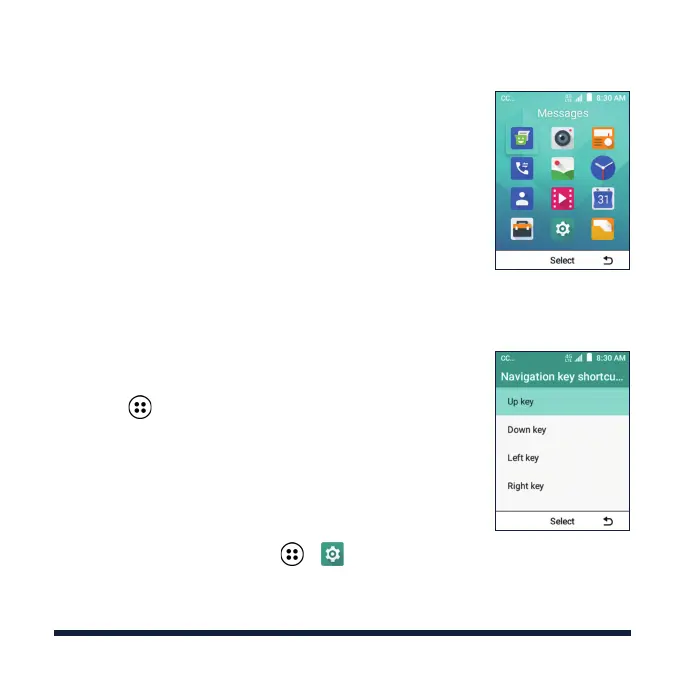
OPENING APPLICATIONS
1. Press the Power/End Key if the current screen is not
the home screen.
2. Select by pressing the OK Key.
3. Use the 4-way Navigation Key to highlight an
application and then press the OK Key to open it.
PERSONALIZING
You can change the designated applications/functions
of the 4-way Navigation Key.
From the home screen select > > Device >
Navigation key shortcuts > Up key / Down key / Left
key / Right key and select an option.
NAVIGATION KEYS



 To Next Page