13
TEXT MESSAGING
1. From the home screen, press the Right Soft Key.
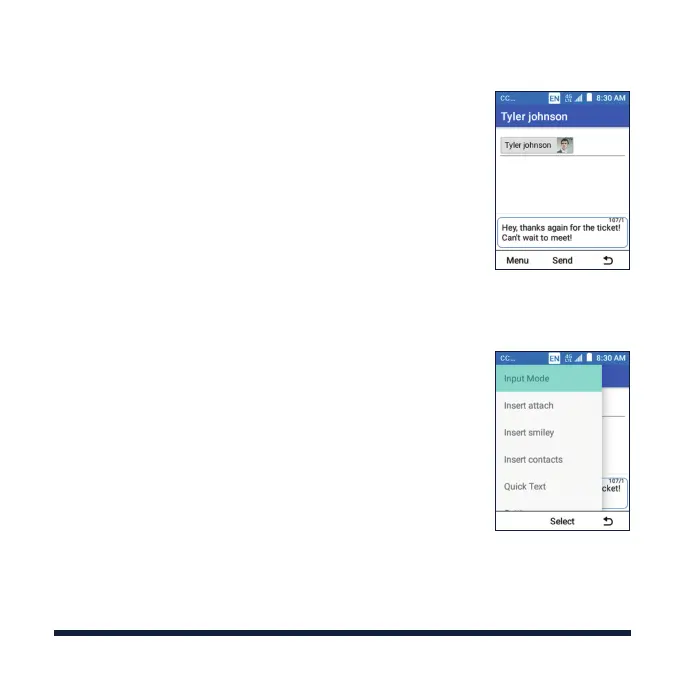
2. Select Menu > New message.
3.
Enter the recipient(s) and message text. Select Menu
> Insert smiley to add emoticon. If you want to send
an MMS, select Menu > Insert attach to add a picture,
a video, an audio clip, a slideshow, or other types of
files to the message.
4. Press the OK Key to send the message.
Please don’t text and drive.



 To Next Page