16
PLAYING MUSIC
1. From the home screen, select > > .
2. Select All Songs.
3. Highlight a song and press the OK Key to play it.
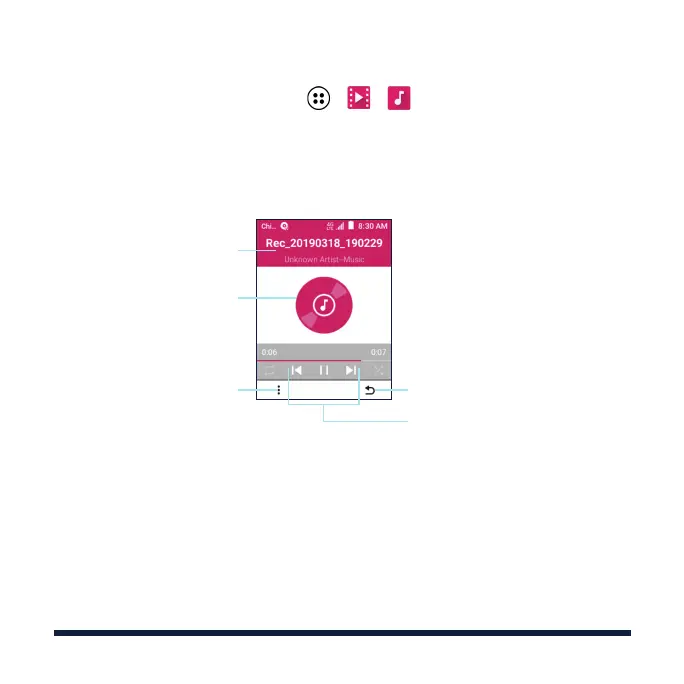
Return to the previous screen
Playback controls
OK Key: pause/resume
4-way Navigation Key left: press
to skip to the previous song;
press and hold to rewind
4-way Navigation Key right: press
to skip to the next song, press
and hold to fast forward
Access the Now Playing
List and Track Info, manage
repeat and shue, or exit
the application
Album artwork (if available)
Song, album, and artist
information



 To Next Page