11
USING REALTIME TEXT RTT
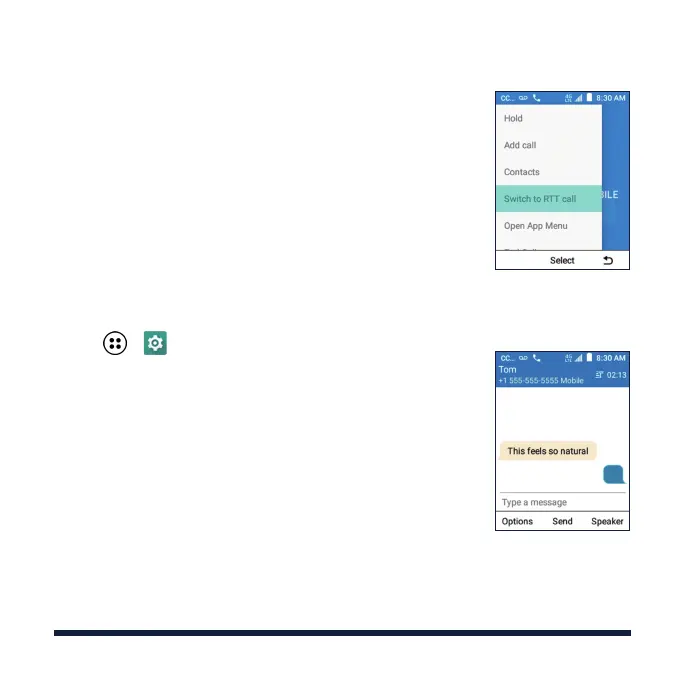
Switch between normal voice call and RTT call,
whichever makes a live conversation easier.
• During a voice call, select Menu > Switch to RTT call
to exchange Real-Time Text. The voice conversation
will not be aected.
• Select Options > Switch to voice call to return to
normal voice call.
NOTE: You can set RTT call as the default call mode
for outgoing and incoming calls or select the call mode
each time before placing a call. From the home screen
select > > Wireless & networks > Call settings >
RTT settings.
CALLING AND VOICEMAIL



 To Next Page