MANUALP/4000_SERVICE_0712 July2012
52
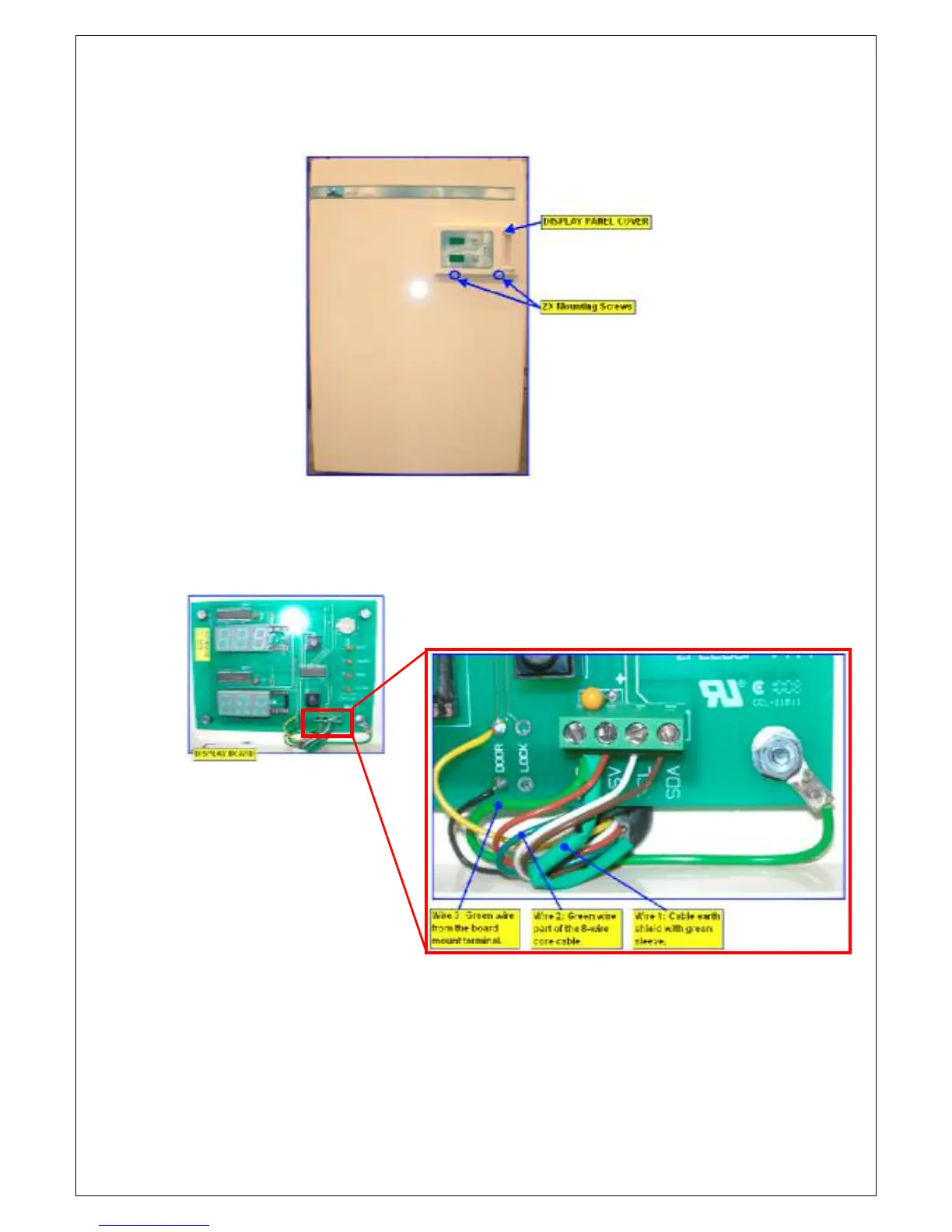
6. On the main cabinet door, unscrew the 2 mounting screws to remove
the display panel cover.
7. Locate the “GND” wires on the display board. 3 earth wires are
connected on this terminal.
Wire 1: Cable earth shield with green sleeve.
Wire 2: Green wire part of the 8-wire core cable.
Wire 3: Green wire from the board mount terminal.
8. Do the reverse order to assemble back the parts.
9. Try the below earth wire combination and see which will resolve the
display ghost issue:


 To Next Page