18 19
Contour
®
next GEN blood glucose monitoring system
TESTING
Select a Meal Marker
NOTE: During a blood glucose test, if Meal Markers are On, you can
select a Meal Marker when the meter displays your result. You cannot
select a Meal Marker in the Settings screen.
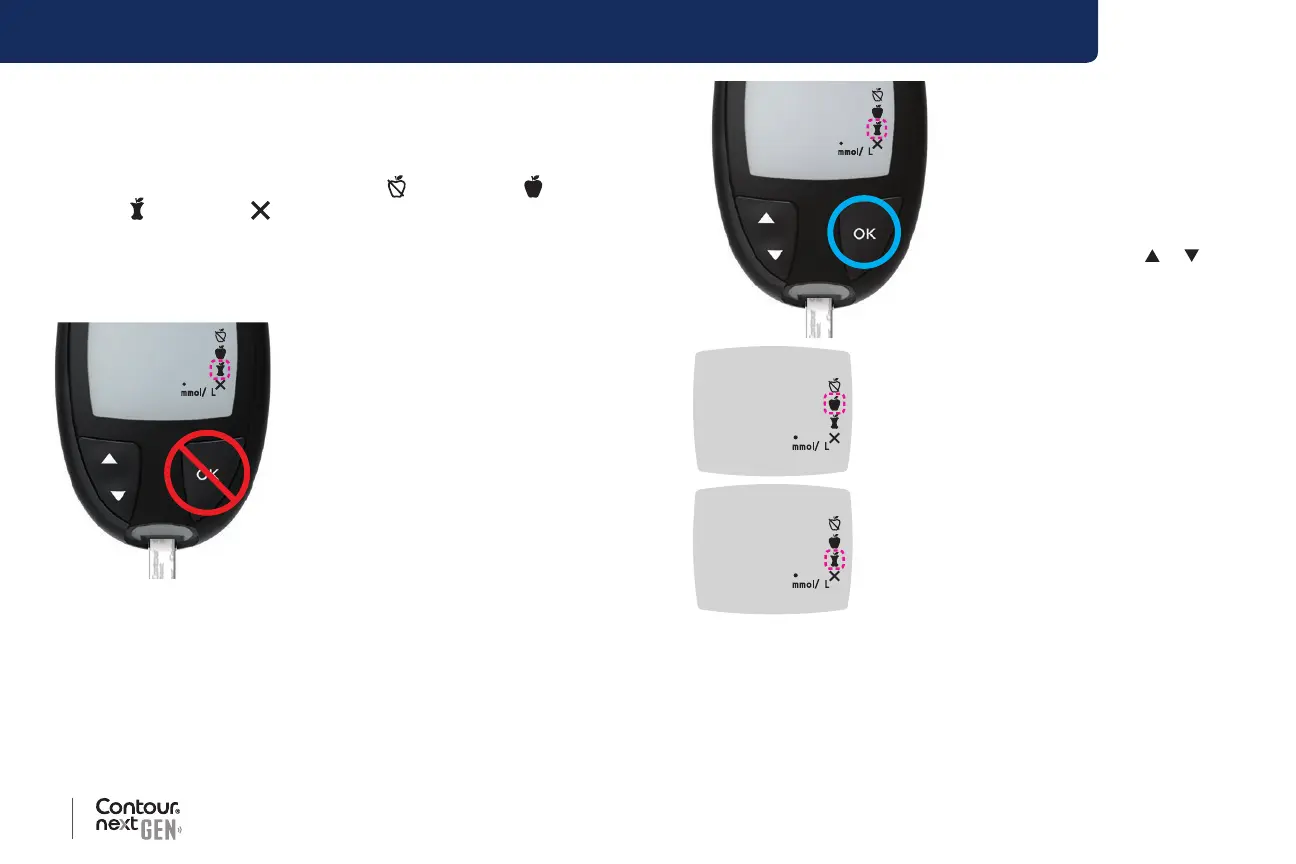
If the Meal Marker feature is On, a Fasting
, Before Meal ,
After Meal
, or No Mark marker is blinking on the blood glucose
result screen. The meter suggests this Meal Marker based on the time
of day and the meal period: breakfast, lunch, dinner, or overnight. For
more information about Meal Markers, see page 8.
Example:
65
Do not press the OK button or
remove the test strip yet.
You can select the blinking marker
or choose a dierent Meal Marker.
To turn Meal Markers On, see Set Meal Markers on page 44.
65
1. If the blinking Meal Marker is
the one you want, press the
OK button
or
2. To select a dierent Meal
Marker, press the
or button
on the meter to scroll between
markers.
65
Example: If you scroll up to Before Meal, the
Before Meal marker blinks.
65
Example: If you scroll down to After Meal, the
After Meal marker blinks.



 To Next Page