50 51
Contour
®
next GEN blood glucose monitoring system
FEATURES
5. To turn the smartLIGHT feature On or O, press the or button to
display the option you want.
6. Press the OK button.
Set Bluetooth Wireless Functionality
After pairing your meter with a mobile device, the Bluetooth setting can
be turned On or O. For pairing instructions, see page 52.
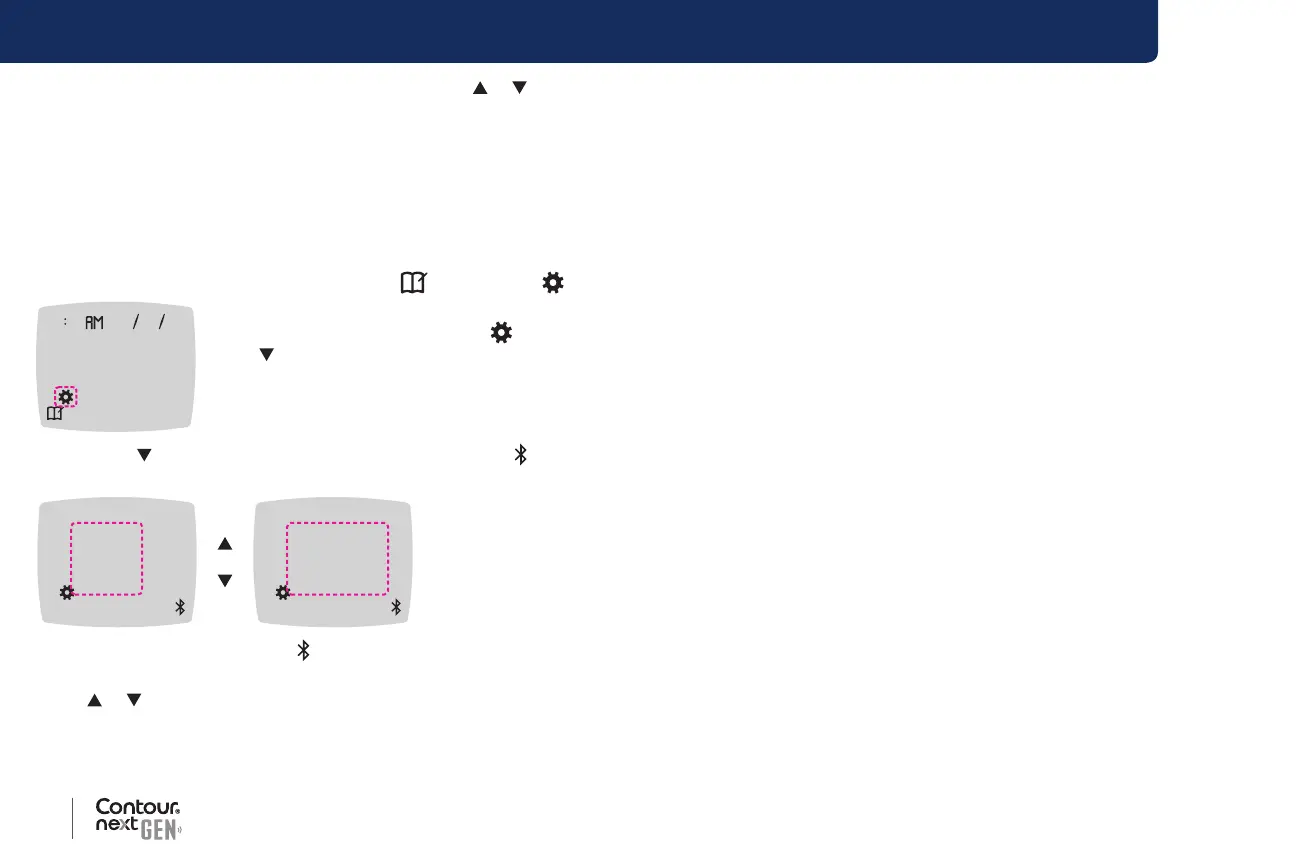
1. Press and hold the OK button until the meter turns on.
The Home screen has 2 options: Logbook
and Settings .
10 45 42620
2. To highlight the Settings symbol , press
the button.
3. When the Settings symbol is blinking, press
the OK button to enter Settings.
4. Press the
button repeatedly until the Bluetooth symbol
is blinking, then press the OK button.
On
Off
Bluetooth Symbol:
5. To turn Bluetooth wireless functionality On or O, press
the or button to display the option you want.
6. Press the OK button.
The meter returns to the Home screen.
The Contour Diabetes app for
Your Contour next GEN meter
Your Contour next GEN meter is designed to work with the
Contour Diabetes app and your compatible smartphone or tablet.
You can do the following things with your
Contour Diabetes app:
• Add Notes after testing that help to explain your results:
List meals containing carbs.
Note changes in medication.
Add photos of your meal.
Log an increase or decrease in activity.
• Set testing reminders.
• Access easy-to-read graphs of test results over a day or over a
period of time.
• Share reports.
• Discreetly view information.
• Review your Fasting, Before Meal, After Meal, and View All results
on a daily graph.
• Change meter settings, as necessary.
The
Contour Diabetes app does these things for you:
• Automatically displays your results.
• Saves your Notes in My Readings.
• Displays your trends and test results as they compare with your targets.
• Oers quick and valuable tips to help you manage your diabetes.
When your
Contour next GEN meter is paired with the
Contour Diabetes app:
• You can set or change a Meal Marker in the meter Logbook from
the app.



 To Next Page