60 61
Contour
®
next GEN blood glucose monitoring system
TECHNICAL INFORMATION
NOTE: If you put the new batteries in the meter within 5 minutes
of taking the old batteries out, the meter saves all your settings
and results. Always check the date and time after you replace
the batteries. If they are correct, other settings and results are
also saved.
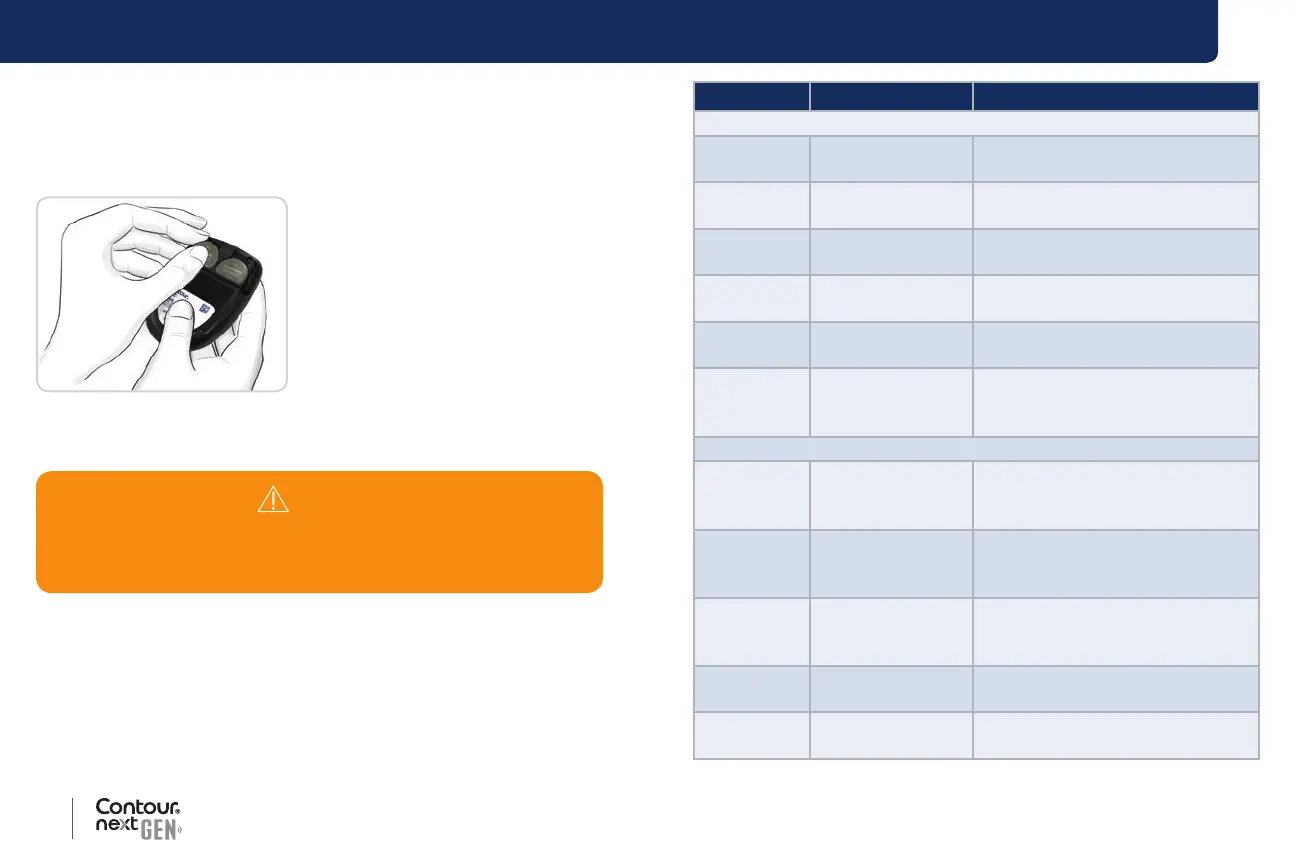
4. Make sure the ‘+’ sign is facing
up on the new batteries.
5. Press each battery into a
compartment.
6. Slide the battery cover back into place.
7. Discard batteries according to your local environmental regulations.
Error Detection Displays
The meter screen displays error codes (E plus a number) for test result
errors, strip errors, or system errors. When an error occurs, the meter
beeps 2 times and displays an error code. Press the OK button to turn
o the meter.
If you experience continued errors, contact Customer Service. See the
back cover for contact information.
WARNING
Keep batteries away from children. Many types of batteries
are poisonous. If swallowed, immediately contact your poison
control center.
Error Code What It Means What to Do
Strip Errors
E 1 Too Little Blood
Remove the strip. Repeat the test
with a new strip.
E 2 Used Test Strip
Remove the strip. Repeat the test
with a new strip.
E 3
Strip Upside
Down
Remove the strip and insert it
correctly.
E 4
Wrong Strip
Inserted
Remove the strip. Repeat the test
with a
Contour next test strip.
E 6
Moisture
Damaged Strip
Remove the strip. Repeat the test
with a new strip.
E 8 Strip or Test Errors
Repeat the test with a new strip.
If the error persists, contact
Customer Service.
Testing Errors
E20 Testing Error
Repeat the test with a new strip.
If the error persists, contact
Customer Service.
E24
Too Cold to Test
Control Solution
Move the meter, strip, and control
solution to a warmer area. Test in
20 minutes.
E25
Too Hot to Test
Control Solution
Move the meter, strip, and control
solution to a cooler area. Test in
20 minutes.
E27 Too Cold to Test
Move the meter and strip to a
warmer area. Test in 20 minutes.
E28 Too Hot to Test
Move the meter and strip to a
cooler area. Test in 20 minutes.



 To Next Page