36 37
Contour
®
next GEN blood glucose monitoring system
FEATURES
Logbook
The Logbook contains blood glucose test results and Meal Markers
that you have made to those test results. The Logbook holds up to
800 results. When the Logbook reaches the maximum, the oldest test
result will be removed as a new test is completed and saved to
the Logbook.
Review the Logbook
NOTE: To return to the Home screen while viewing the Logbook, press
the OK button.
To review entries in the Logbook:
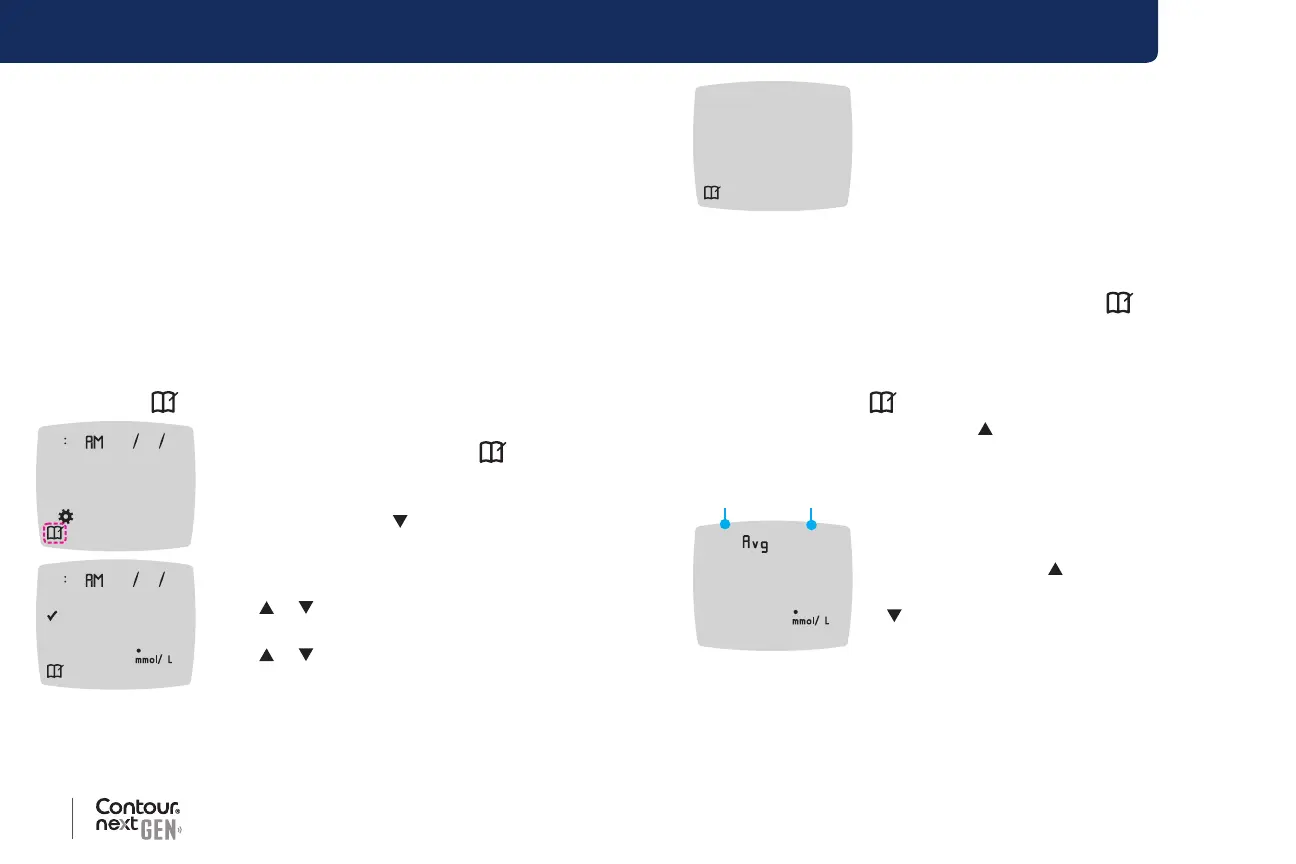
1. Press and hold the OK button until the meter turns on, about
3 seconds.
The Logbook
is blinking.
10 45 42620
2. To select the blinking Logbook symbol,
press the OK button.
3. To view your individual test results in the
Logbook, press the
button.
10 45 42620
63
4. To scroll through your test results, press
the or button.
To scroll faster, press and hold
the
or button.
end
If you scroll past the oldest entry, the meter
displays the End screen.
If you see a LO or HI test result, go to LO or HI Results on page 24 for
more information.
5. To go back to the beginning to review entries, press the OK button to
go to the Home screen, then select the Logbook
symbol.
View Averages
1. To enter the Logbook from the Home screen, press the OK button
while the Logbook
is blinking.
2. To view your Averages, press the
button from the rst Logbook
screen.
7d n8
109
Average
of tests
3. To scroll through your 7-, 14-, 30-, and 90-day
Averages, press the button.
4. To return to your Logbook readings, press the
button on the 7 d Avg (7-day Average).
5. To exit Averages and return to the Home screen at any time, press
the OK button.



 To Next Page