52 53
Contour
®
next GEN blood glucose monitoring system
FEATURES
• The app will always sync your most recent Target Range from the app
or meter, across the system.
• The app date and time can sync to your meter.
• You can manage your meter settings from the app, like Sound or
smartLIGHT target range indicator.
Download the Contour Diabetes app
1. On your compatible smartphone or tablet, go to the App Store
SM
or
the Google Play
TM
store.
2. Search for the
Contour Diabetes app.
3. Install the
Contour Diabetes app.
Pairing Mode
To pair your meter with the Contour Diabetes app, download the app
and follow the instructions to Pair a Meter.
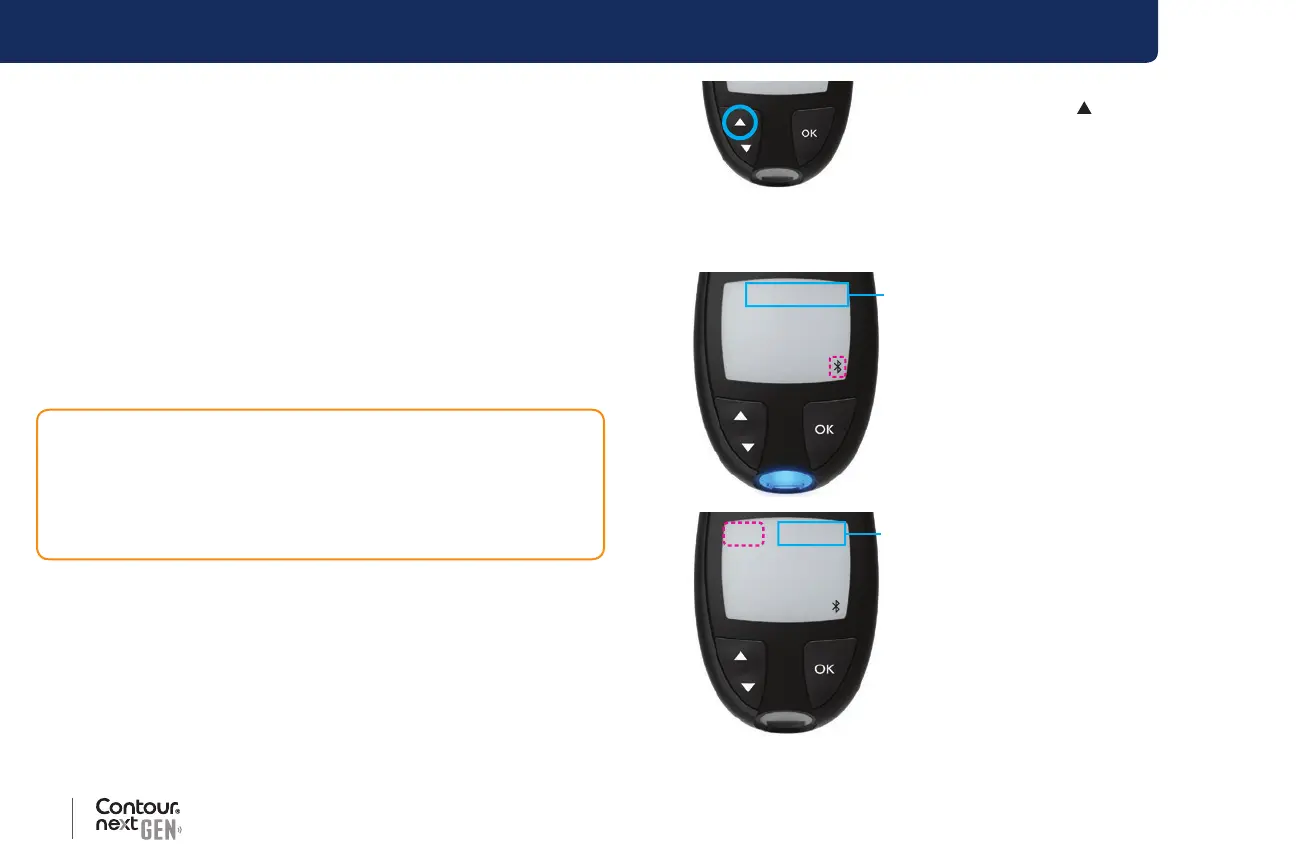
To put your meter in pairing mode:
1. If your meter is o, press and HOLD the OK button until the meter
turns on. The Home screen displays.
CAUTION: There is a remote possibility that a computer specialist
could listen in on your wireless communications when you pair the
blood glucose meter and would then be able to read your blood
glucose readings from your meter. If you believe this is a risk, pair
your blood glucose meter far away from other people. After you pair
your device, you do not need to take this precaution.
2. Press and HOLD the button for about
3 seconds, until you see the blinking
Bluetooth symbol (as shown in Step 3).
A blue light blinks when you are in
pairing mode.
3. When the meter serial number displays, follow the instructions on the
app to match the meter serial number.
12 34 56 7
Meter
serial
Example: Your meter in pairing
mode.
CO de 89 12 34
code
When a connection is made, the
meter displays the 6-digit pass
code you need to enter on the
smart device.



 To Next Page