42 43
Contour
®
next GEN blood glucose monitoring system
FEATURES
4 26 20
20
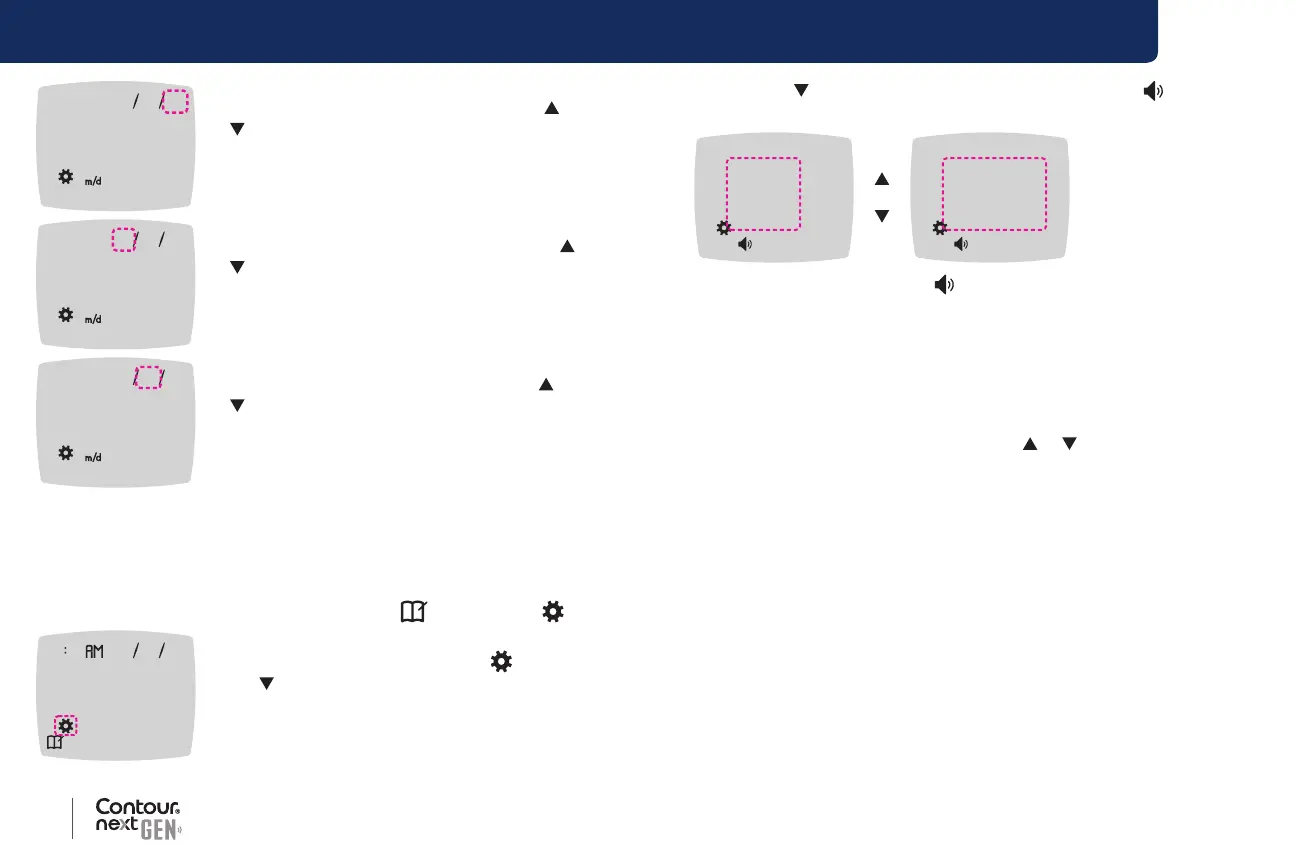
6. To change the year (blinking), press the or
button, then press the OK button.
426 20
4
7. To change the month (blinking), press the or
button, then press the OK button.
42620
26
8. To change the day (blinking), press the or
button, then press the OK button.
The meter returns to the Home screen.
Set the Sound
1. Press and hold the OK button until the meter turns on.
The Home screen has 2 options: Logbook
and Settings .
10 45 42620
2. To highlight the Settings symbol , press
the button.
3. When the Settings symbol is blinking, press
the OK button to enter Settings.
4. Press the
button repeatedly until the Sound symbol is blinking
on the Settings screen, then press the OK button.
0n
Off
Sound Symbol:
Your meter comes with the Sound turned On. Certain error messages
override any Sound setting.
When Sound is On:
• One long beep indicates a conrmation.
• Two beeps indicate an error or something that needs your attention.
5. To turn the Sound On or O, press the
or button to display the
option you want.
6. Press the OK button.
NOTE: Some sounds remain On even when you turn the Sound feature
O. To turn sounds O for a below-target blood glucose reading, turn the
smartLIGHT feature to O.
The meter returns to the Home screen.



 To Next Page