2 3
Contour
®
next GEN blood glucose monitoring system
GETTING STARTED
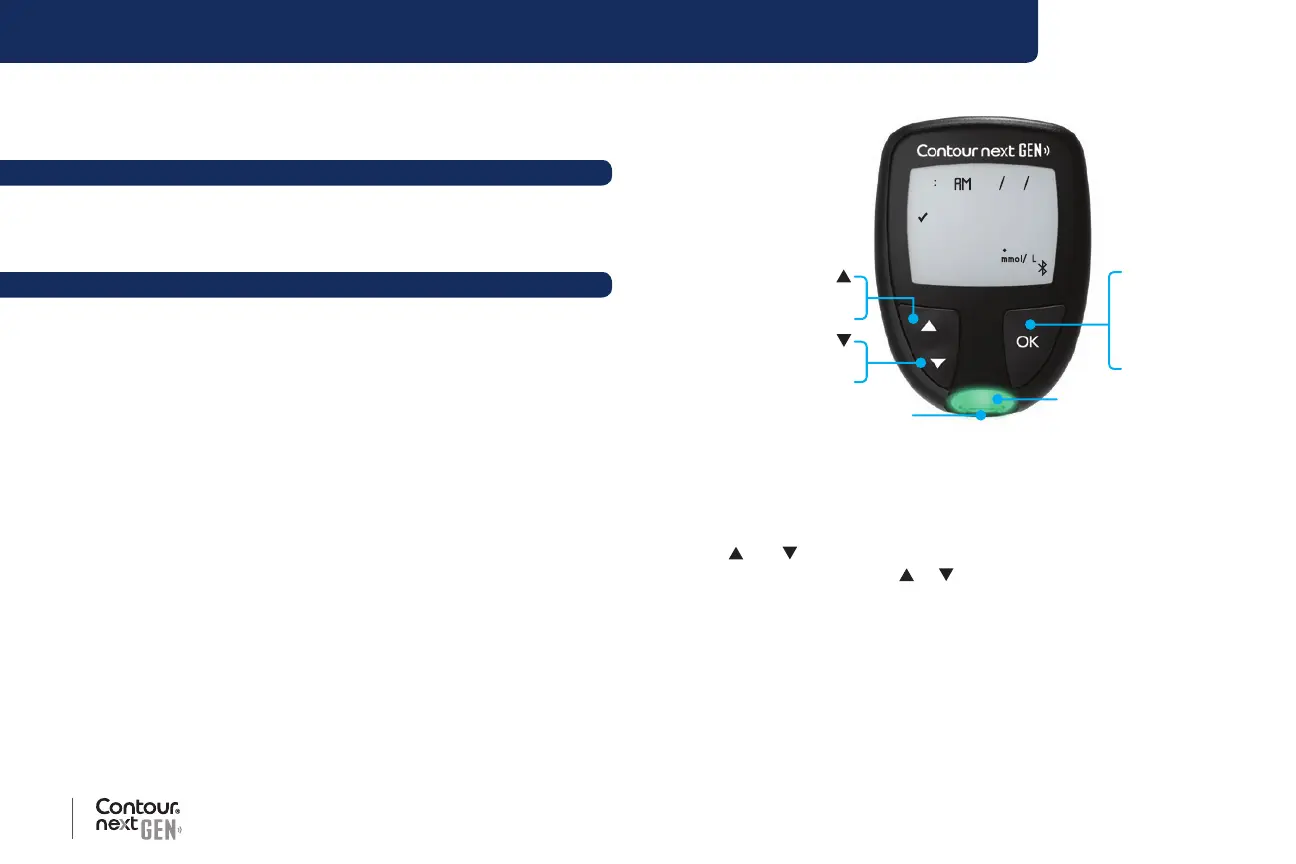
Your Contour next GEN meter
10 45 42620
52
Te st Strip Port
OK Button
Press and hold
On or Off
Press to accept
a selection
Te st Strip Port Light
Up/Down
Scroll Buttons
Press to scroll up
Press and hold
to keep scrolling
ess to scroll down
Press and hold
to keep scrolling
Navigate with 3 Buttons
Press and hold the OK button until the meter turns On.
Press and hold the OK button until the meter turns O.
The
and buttons on the meter allow you to scroll through the
options. You can hold the
or button to scroll continuously through
a list.
Press the OK button to accept a selection.
To exit from the Logbook or Averages and return to the Home screen,
press the OK button.
NOTE: When a symbol is blinking, you can select it.
The Contour Diabetes app for
Your
Contour next GEN meter ................................................ 51
Download the
Contour Diabetes app ...................................... 52
Pairing Mode ..............................................................................52
HELP
Meter Care ..................................................................................54
Transfer Results to the
Contour Diabetes app ........................57
Transfer Results to a Personal Computer ....................................58
Batteries .....................................................................................58
TECHNICAL INFORMATION
Error Detection Displays .............................................................60
Customer Service Checklist .......................................................62
Technical Information: Accuracy .................................................63
User Accuracy .........................................................................64
Technical Information: Precision .............................................. 66
Specications .............................................................................68
Warranty .....................................................................................72
Index ........................................................................................... 74



 To Next Page