34 35
Contour
®
next GEN blood glucose monitoring system
TESTING
10 45 42620
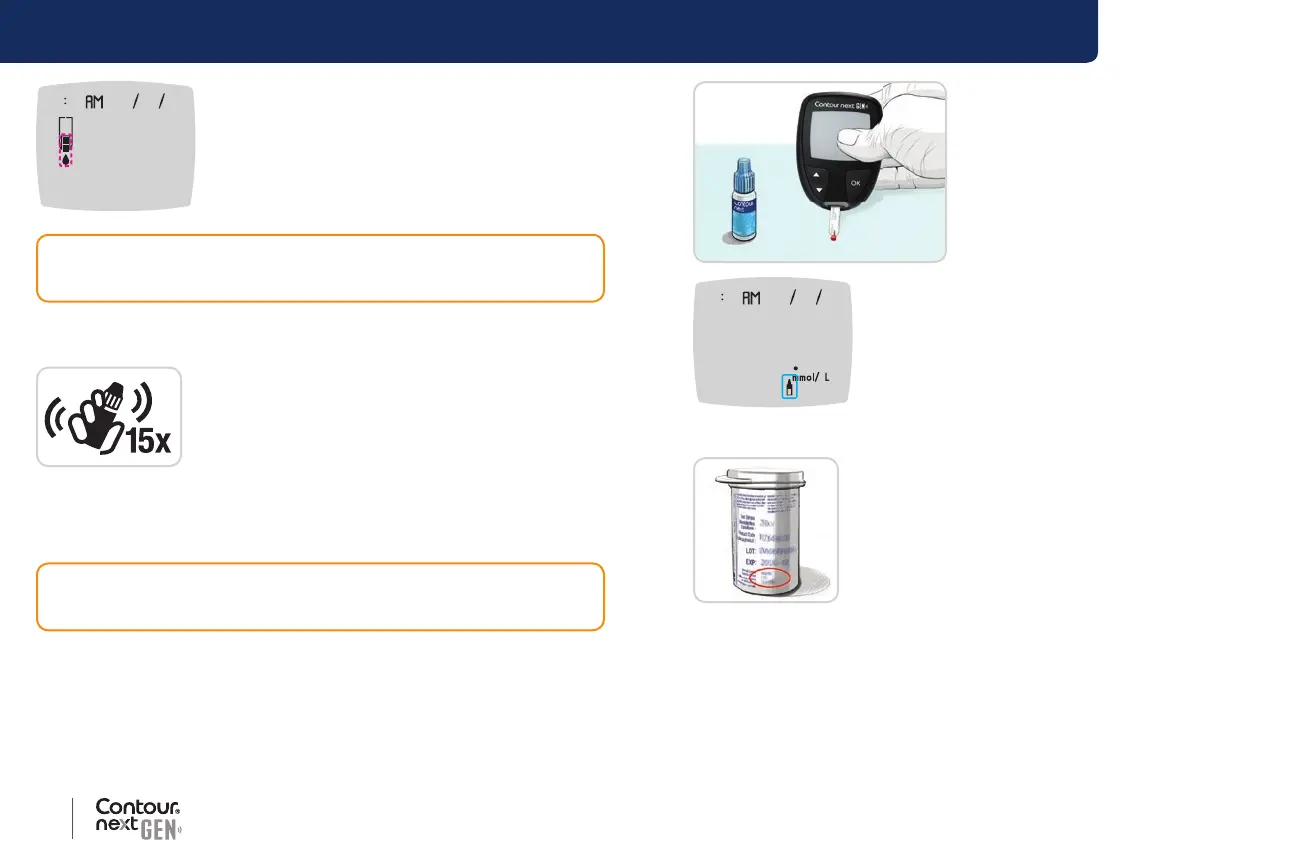
The meter turns on, displaying a test strip with a
ashing blood drop.
NOTE: If this is the rst time you are opening the control solution,
write the date on the bottle.
5. Shake the control solution bottle well, about
15 times before every use.
6. Remove the bottle cap and use a tissue to wipe away any solution
around the bottle tip before dispensing a drop.
7. Squeeze a small drop of solution onto a clean, nonabsorbent surface.
CAUTION: Do not use control solution that is more than 6 months
past the date you rst opened the bottle.
CAUTION: Do not apply control solution to your ngertip or to the
test strip directly from the bottle.
8. Immediately touch the tip of the
test strip to the drop of control
solution.
9. Hold the tip in the drop until
the meter beeps.
10 45 42620
72
The meter counts down for 5 seconds before
the control test result displays on the meter.
The meter automatically marks the result as a
control test.
Control test results are not included in your meter
Logbook or in blood glucose Averages. Control
test results are not evaluated against any Target
Ranges.
10. Compare your control test result with the
range printed on the test strip bottle or on the
bottom of the test strip box.
11. Remove the test strip and dispose as medical
waste or as advised by your health care
professional.
If your result does not fall within the range listed on the test strip bottle
label or carton, there may be a problem with the test strips, the meter,
or your testing technique.
If your control test result is out of range, do not use your
Contour next GEN meter for blood sugar testing until you
resolve the issue. Contact Customer Service. See the back
cover for contact information.



 To Next Page