Preparing a VFC400-USB for first use VFC400-USB User Guide 19
File Settings
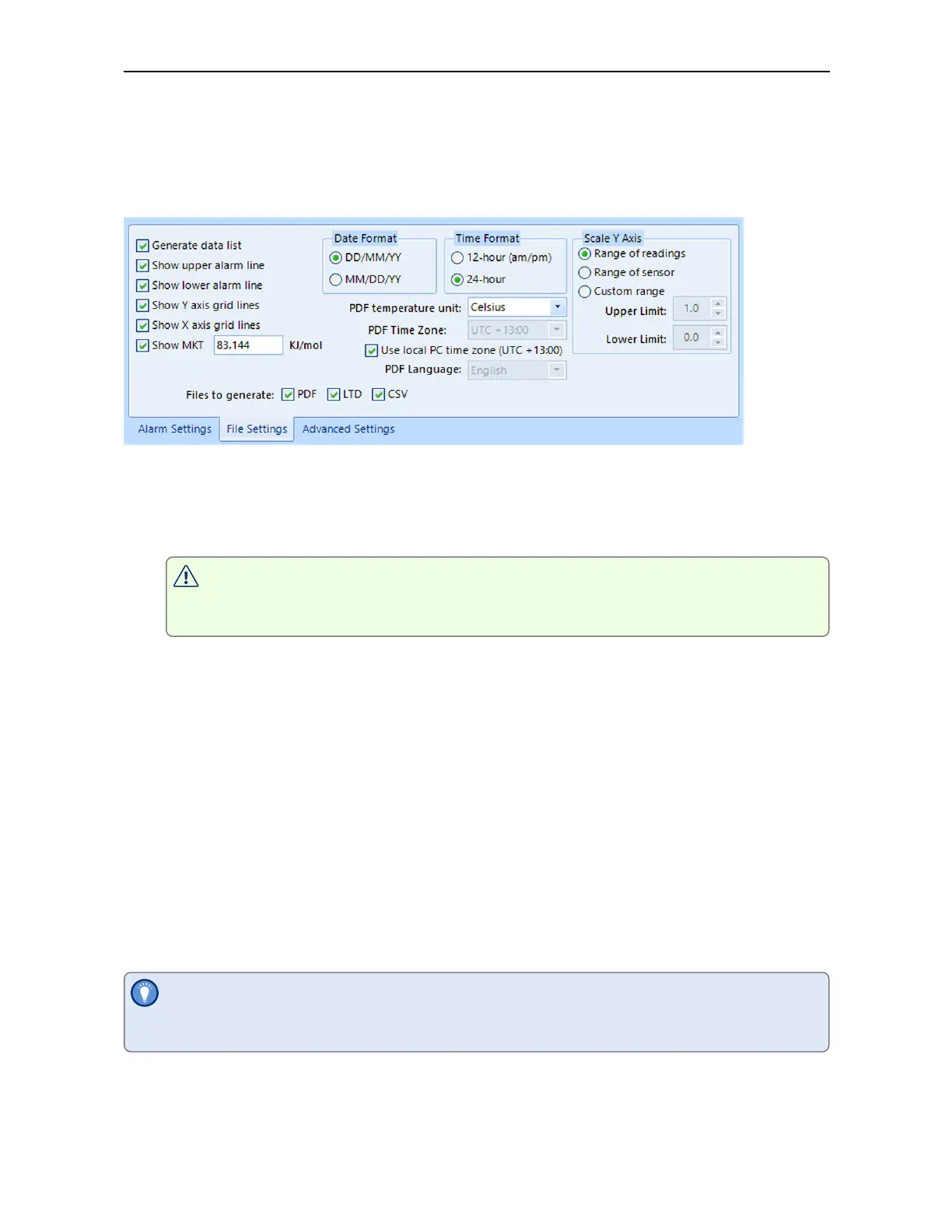
Click the File Settings tab, select which files are generated when the VFC400-USB is
plugged into a computer's USB port, and what information these files contain. Select as
many file formats as you wish to generate.
Figure 4: VFC400-USB File settings screen in Control Solutions VTMC 3
These parameters influence the appearance of all files:
l
Temperature units
The temperature unit for the PDF file is also used for all temperature values
shown on the display.
You cannot choose different temperature units for individual channels.
l
Date and time format
l
Time zone and MKT values
Following specifically influences the appearance of the PDF file:
l
Scaling parameters for the chart
l
Showing or hiding grid lines
l
Showing or hiding alarm threshold lines
l
Generating the data list
For detailed information about each parameter please read the section about
Configuring a LogTag for logging in Control Solutions VTMC’s User Guide or press F1 for
help.
The PDF file can not only be viewed in a PDF viewer, but can also be opened with
Control Solutions VTMC directly.



 To Next Page